How Does a Cloud-Based Platform Work for SMBs | 2026
Learn how does a cloud-based platform work and apply a 2026-ready roadmap to streamline SMB operations, security and cash flow with clear examples.
In this article
- How does a cloud-based platform work: overview
- How does a cloud-based platform work: core components
- Key benefits for SMBs
- Security, compliance and cost control
- Implementing a cloud platform in 2026: roadmap
- Conclusion and next steps
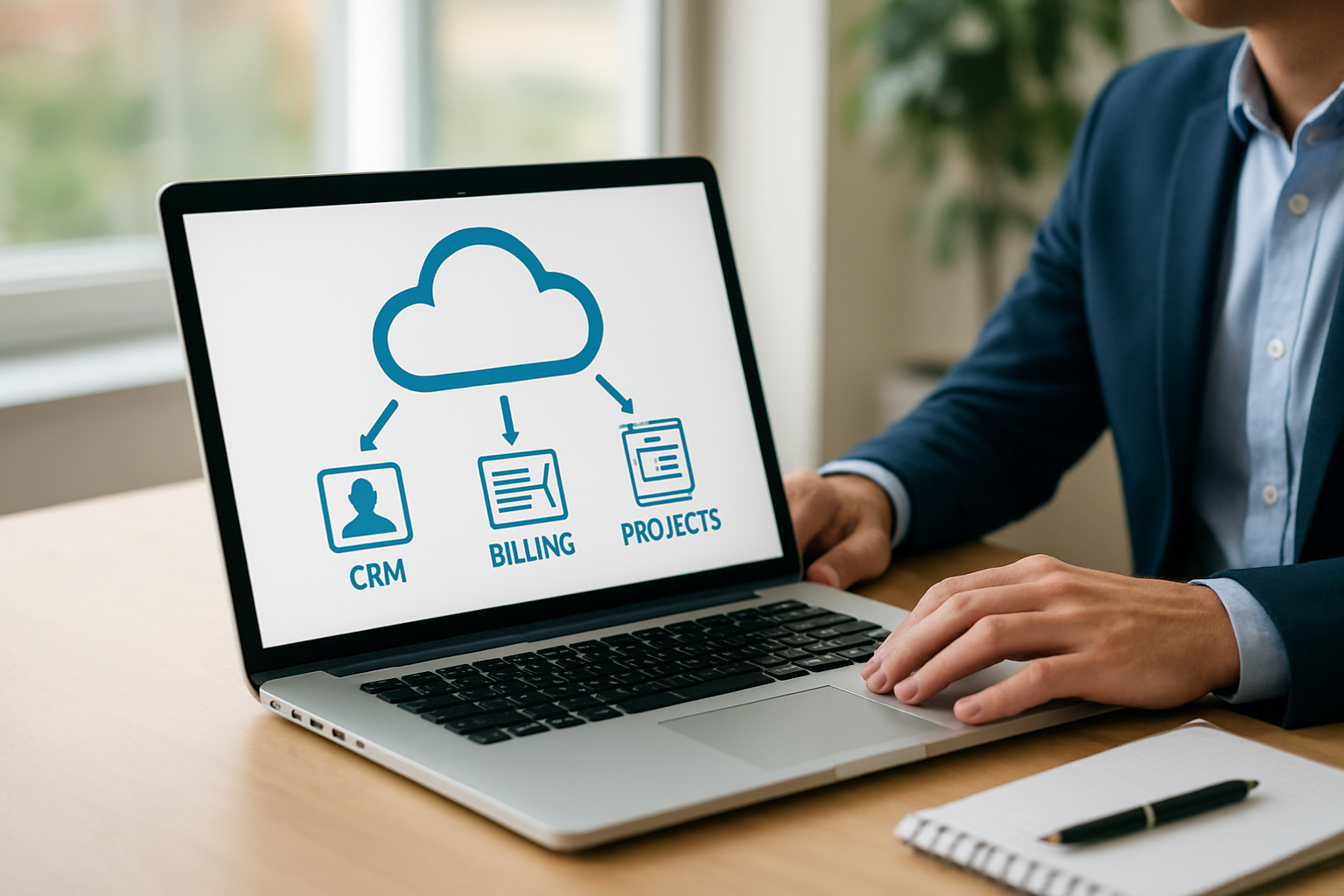
How does a cloud-based platform work is a question we hear every week from founders, freelancers and small business owners. We will explain the architecture, the day-to-day workflows it enables and the practical steps to adopt a platform that consolidates CRM, invoicing, project tracking and team communication. We will keep the explanation focused on what matters for SMBs in 2026.
How does a cloud-based platform work: overview
We start with a plain definition so we can build from there: a cloud-based platform is a set of software services hosted on remote servers that we access over the internet. We do not run heavy infrastructure locally; instead, we tap into shared computing, storage and application services maintained by providers.

We like to think of a cloud-based platform as a shared office tower. Each tenant uses their floor, but the building provides power, security, plumbing and elevators. In the same way, the platform provides compute, networking, security and common services so teams can focus on their work.
- Access from anywhere , we log in via browser or app.
- Pay for what we use , costs shift from capital to operating expenses.
- Automatic updates , improvements arrive without manual installs.
What "cloud" really means for our operations
We gain elasticity: the system scales with demand without our manual intervention. We also gain centralization: customer records, invoices and project timelines live in one place, reducing duplication and miscommunication.
We often remind teams that the cloud does not magically fix business processes. Instead, it amplifies what we design: good processes run smoother, poor processes run faster, but still poorly. That distinction matters when we plan adoption.
To make the concept practical, we include a short checklist that we can use before signing any contract. It helps to ask: where are our critical records stored, which integrations are non-negotiable, and what are our acceptable recovery time objectives? That small exercise forces clarity and shapes vendor conversations.
- Data residency and compliance needs.
- Critical integrations (payments, bank feeds, email).
- Responsible party for backups and restoration tests.
How does a cloud-based platform work: core components
We break the platform into four practical layers so the architecture becomes tangible. Each layer interacts with the others, and together they enable a full operational flow from lead capture to cash collection.

How does a cloud-based platform work: infrastructure and compute
At the bottom sits the infrastructure: virtual machines, containers and networking that host our applications. We rely on providers to maintain physical servers, cooling and redundancy. We choose providers based on uptime guarantees, regional availability and integration options.
- Compute , runs application code.
- Storage , holds files, backups and database snapshots.
- Networking , secures traffic and connects services.
How does a cloud-based platform work: application and data services
Above the infrastructure we find managed services: databases, messaging queues, identity services and APIs. These services let us treat complex problems, like syncing customer records or sending invoice reminders, as components we can assemble.
We design workflows that link these services: a payment event updates the accounting ledger, triggers a receipt, and notifies the client. Those chains are as much design work as they are technical wiring.
Integration and APIs
We connect external systems through APIs. Well-documented APIs accelerate integrations with payment gateways, analytics tools and third-party CRMs. We favor platforms that provide robust API docs and developer sandboxes.
- Webhooks for event-driven updates.
- REST or GraphQL for data access.
- SDKs for common languages to reduce build time.
Data flows and event-driven design
We like event-driven designs because they map naturally to business actions: invoice created, payment received, project completed. When events trigger small, well-defined processes, tracing failures becomes much simpler.
In practice, we design compensating actions for partial failures: if a payment webhook fails, we retry and log the attempt. That discipline keeps client communication accurate and reduces friction when reconciling accounts.
- Define core domain events (invoice_issued, payment_received).
- Implement idempotent handlers to avoid duplicate processing.
- Log events with context to support audits and troubleshooting.
Management, monitoring and automation
We monitor health metrics, logs and user activity to keep operations predictable. Automation reduces repetitive tasks: backups, patching, alerting and routine reports can run without human intervention.
We lean on dashboards that show revenue, overdue invoices and task completion so leadership has clarity without digging into multiple tools. That unified visibility is precisely what My Business Suite aims to deliver for SMBs.
Operational metrics matter. We track availability and mean time to restore for services, but we also track business-facing metrics such as invoice dispute rate and average response time to client inquiries. Those numbers tell us whether the platform improves real outcomes or just moves work around.
For teams that prefer a short reading list on cloud controls and architecture, we regularly consult the NIST cloud computing definition and synthesis articles in mainstream outlets to understand vendor behavior during outages, which helps us craft realistic SLAs.
Key benefits for SMBs
We will translate technical advantages into business outcomes that matter for our personas: founders like Maria, owners like Sarah, and freelancers like David. The benefits are practical and measurable when we implement them correctly.
We list the most immediate wins below, and then show short examples for each persona so the ideas feel actionable.
- Consolidation of tools , one interface for CRM, billing and project work.
- Faster cash flow , automated invoicing and reminders reduce days sales outstanding.
- Better team coordination , shared task lists and notifications reduce missed deadlines.
- Scalable pricing , we pay for growth rather than large upfront licenses.
Real-world example: Maria, the startup founder
We imagine Maria connecting lead capture forms to a unified CRM, configuring automated nurture sequences and funneling qualified leads into proposal templates. The result: fewer manual handoffs and faster conversion cycles.
We can model outcomes: by automating follow-ups and proposals, Maria frees the team to close deals while the platform handles routine communication.
To make the benefit tangible, we sketch a hypothetical scenario: if Maria reduces manual follow-ups by 50% and increases lead-to-proposal conversion by 10%, her small sales team can focus on higher-value conversations. This is a scenario we can measure during a pilot rather than a promise we claim will always happen.
Real-world example: Sarah, the small business owner
We picture Sarah using one dashboard to check outstanding invoices, reconcile payments and assign delivery tasks. The platform reduces duplicate data entry and clarifies responsibilities across the team.
We note that this clarity often increases on-time deliveries and reduces refund disputes, because the record trail is centralized and timestamped.
As a practical tip, we recommend Sarah run a 60-day before/after measurement: track days sales outstanding, support tickets related to billing, and time spent on reconciliation. Those KPIs give a quick ROI signal for the platform investment.
Real-world example: David, the freelancer
We imagine David generating professional invoices from templates, enabling quick payment links and scheduling automatic reminders. We show him reclaiming time previously spent chasing clients, and using that time to bill more hours.
- Example workflow: proposal → accepted → project board created → invoice scheduled → payment confirmed → receipt sent.
We emphasize that reclaimed time is measurable. If David saves five hours per month on administration and bills those hours at his rate, the platform pays for itself quickly. Again, we treat this as a measurable hypothesis to validate in the pilot phase.
Security, compliance and cost control
We treat security and compliance as design constraints, not afterthoughts. In 2026, regulators and clients expect clear controls around data residency, access and auditing. We link to foundational guidance when we discuss controls.
We rely on established frameworks for security and design processes that reduce exposure. For high-level definitions and standards, we consult the NIST cloud computing definition.
Access control and identity
We use single sign-on, multi-factor authentication and role-based access to limit who can view financial records or change pricing. We document access policies and review them periodically.
- MFA for all admin accounts.
- Least privilege for role assignments.
- Audit logs retained for investigations and compliance.
Data protection and backups
We encrypt data at rest and in transit and maintain automated backup policies. We validate restore procedures so backups are more than a checkbox.
We recommend storing backups in different regions when regulations or business continuity require it, and documenting RTO/RPO targets for recovery exercises.
Cost control best practices
We approach cloud spend like an operating budget and not a mystery. We tag resources by project or client, set alerts for usage spikes and negotiate reserved capacity when predictable demand appears.
We also suggest reviewing billing reports monthly so surprises become rare. For practical small business guidance on managing technology and related programs, we consult the U.S. Small Business Administration resources. For Brazilian SMBs, Sebrae offers tailored programs and training, and official federal procedures are published at gov.br.
For timely analysis of market shifts and adoption signals that might affect vendor selection, we review trustworthy industry coverage such as the tech section at Reuters Technology and business reporting at Exame.
Regulatory flags for SMBs
We pay attention to industry-specific compliance. If we handle health data, HIPAA rules apply and we must confirm a vendor's attestation; if we process card payments, PCI requirements guide our choices. Early verification of these needs prevents expensive rework later.
When in doubt about healthcare data obligations, we consult official guidance such as the HHS HIPAA resources so we understand whether additional controls or contracts are required.
Implementing a cloud platform in 2026: roadmap
We provide a step-by-step roadmap so teams can move from exploration to production without costly detours. Each step includes a short checklist and a decision point.
- Assess needs , inventory current tools, pain points and integration requirements.
- Design workflows , map how leads become customers and how projects become invoices.
- Pilot , roll out core features with a small team and measure outcomes.
- Scale , expand user base, automate more processes and tune costs.
- Optimize , apply feedback loops, add integrations and report on KPIs.
Assess needs: what we measure
We count the time teams spend on manual tasks, the number of disconnected systems and the top three failure points that cost money. We quantify pain to prioritize fixes.
- Minutes spent on administrative tasks per week.
- Number of systems that require duplicate entry.
- Frequency of missed client follow-ups.
Teams also consult national statistics for context; in Brazil, IBGE provides demographic and economic data useful for sizing markets and workload assumptions.
Pilot and iterate
We choose a low-risk project for the pilot, billing or client intake often works well, and define success metrics before we start. We schedule a short feedback loop and iterate fast.
If security or compliance is a concern, we run the pilot in an isolated environment, document controls and involve legal or finance early in the process.
Scaling and integrations
We add integrations one at a time and measure impact. For example, connecting payment processors to billing reduces manual reconciliation. We document API mappings and error handling to ease support.
When we make vendor choices, we look for clear SLAs, accessible support and transparent pricing models. For security research and academic perspectives that help structure risk assessments, we consult trusted repositories such as academic literature on cloud security.
Change management and training
We plan for people, not just technology. Training sessions, quick reference checklists and recorded walkthroughs reduce resistance and speed adoption. We set realistic adoption milestones and celebrate small wins to keep momentum.
- Run short role-based training within the first two weeks of pilot.
- Provide office hours and a single support contact for the pilot team.
- Collect qualitative feedback and act on the top three usability issues within 30 days.
Conclusion and next steps
We have walked through how a cloud-based platform works, from core architecture to practical adoption steps for SMBs in 2026. We encouraged measurable pilots, clear security measures and careful cost controls so the platform becomes a growth catalyst rather than a maintenance burden.
We recommend forming a small cross-functional team to lead the pilot: operations, finance and at least one power user. We suggest tracking a handful of KPIs, time saved, invoice days outstanding and client response time—so benefits become undeniable.
We use My Business Suite as an example of how an integrated platform can centralize operations and speed the path from task to cash flow. We invite teams to explore demos, run pilots and measure results before committing to full migration.
Next steps we usually take with clients: identify a one-page success definition, run a 60-day pilot tied to measurable KPIs, and schedule a vendor review before expanding. Those simple acts keep the project focused and make the benefits visible to stakeholders.
Frequently Asked Questions
How quickly can we migrate core processes to a cloud-based platform?We typically plan a migration in phases. Small pilots can run within 2–8 weeks depending on complexity, and full migrations usually require 3–6 months of iterative work to stabilize workflows and integrations.
Is my data safe on cloud platforms?We treat cloud platforms as safe when proper controls are in place: encryption, strong access policies and audited backups. We also recommend verifying a provider's compliance certifications and reading their data processing terms.
What costs should we expect when moving to the cloud?We expect subscription fees, integration effort and occasional consultancy. Ongoing costs shift to operating expenses and are easier to align with revenue, but we still track usage and optimize reserved capacity when appropriate.
Can a cloud-based platform replace multiple point tools?We often consolidate CRM, invoicing and project management into a unified platform for small businesses. That consolidation reduces manual work, simplifies reporting and improves client experience—provided workflows are rethought during implementation.
Which KPIs should we track during the pilot?We monitor a short list: time spent on admin tasks, days sales outstanding (DSO), error rate in invoicing and client response time. We pick one operational and one financial KPI to keep the pilot focused and measurable.