Best Invoice Management Software 2026 | Automate Cash Flow
Explore top strategies and steps to choose the best invoice management software 2026 and transform billing into predictable cash flow.
Neste artigo
- Why invoice management matters
- How we evaluate the best invoice management software 2026
- Workflows to automate invoices
- Choosing the best invoice management software 2026 for your business
- Implementation checklist
- Results, examples and next steps
best invoice management software 2026 is the search phrase we keep hearing from founders, freelancers and small business owners who want an easier path from task to cash flow. We open this guide with that keyword because we intend to show, in practical steps, how to pick and implement tools that actually change how a small company collects money.
Why invoice management matters
We often tell clients that invoicing is not just a finance chore; it is a customer touchpoint and a revenue engine. When invoices are late, cash flow tightens, team stress rises and growth stalls.

We also believe that modern invoice management should remove friction: fewer manual entries, predictable follow-ups and clear visibility into outstanding receivables.
- Faster payments: automated reminders and clear invoices reduce days sales outstanding.
- Lower admin cost: less time on spreadsheets frees up staff for growth tasks.
- Better forecasting: reliable receivables data improves cash planning.
How invoice management fits into a unified business hub
We see invoice workflows as part of a larger ecosystem of CRM, project tracking and banking. Bringing those pieces together prevents duplicate work and gives a single source of truth for client history and cash flow.
In practice, tying invoicing to client records means that when a client calls, any team member can see the invoice history, recent payments and open disputes in one place. That reduces friction in support conversations and accelerates resolution.
We also recommend mapping the customer journey to invoice triggers. For instance, a signed proposal can automatically create an initial invoice draft. That reduces handoffs and keeps the brand experience consistent from proposal to payment.
How we evaluate the best invoice management software 2026
We designed a pragmatic evaluation framework to separate marketing promises from actual impact. Our reviews emphasize measurable outcomes and real-world operability.

- Usability: how quickly a new user can send their first invoice.
- Automation: recurring billing, payment reminders and bank reconciliation capabilities.
- Integration: connections to accounting, CRM and payment processors.
- Security & compliance: encryption, access controls and records retention.
Key features we test for the best invoice management software 2026
We run scenarios that simulate real small-business operations: multi-client projects, partial payments, credit memos and disputes. This reveals gaps that marketing rarely mentions.
- Invoice templates and brand customization
- Automated late fees and dunning sequences
- Multiple payment options (cards, ACH, wallets)
- Bank feed matching and reconciliation
Security and compliance we insist on
We audit vendor claims about encryption and data handling and recommend teams verify contract terms. For basic guidance about recordkeeping and compliance related to invoices, we often point clients to the Small Business Administration as a starting resource: Small Business Administration.
We also monitor industry news to spot systemic risks; reputable outlets such as Reuters help us keep an eye on market shifts.
Beyond vendor claims, we check the fine print: data export options, breach notification commitments and retention terms. If a system makes exports difficult or proprietary, we flag it. Our stance is simple: the business should own its data.
Workflows to automate invoices
We know that automation should reduce cognitive load, not add layers of configuration. Below are workflows we implement first when helping a small team streamline invoicing.
- Project-to-invoice: map time and expenses to an invoice template and generate drafts automatically.
- Recurring subscriptions: schedule recurring invoices with auto-charging options.
- Payment follow-up: set tiered reminders and escalate to calls or collections at pre-set intervals.
- Reconciliation: auto-match bank transactions and highlight exceptions for review.
Example: turning time entries into sent invoices
We implemented a flow for a consulting firm where time tracked in a project board populated draft invoices each Friday. The admin reviewed drafts for ten minutes and clicked send. The change cut billing time by about 70 percent in practice and improved cash collection speed.
To replicate that result, we document the mapping logic first: which project fields map to line-item descriptions, how expenses attach, and how discounts or retainers apply. We then run parallel tests for two billing cycles to catch edge cases such as overlapping time entries or retroactive adjustments.
Integrations that matter
We prioritize systems that connect to payment processors, accounting ledgers and CRM tools. For a practical guide on technology adoption and workforce changes, we consult research outlets like BBC to contextualize shifts in work models that affect billing cadence.
Common integrations we validate in pilots include:
- Payment gateways for card and ACH processing
- Bank feeds for automatic reconciliation
- Accounting packages for ledger posting and tax reporting
- CRM systems for linking invoices to deals and contacts
We also test webhook and API reliability. If a platform’s webhooks drop events during heavy loads, that can break automation and create reconciliation headaches.
Automation cadence: a practical template
We use a simple, battle-tested cadence for payment follow-ups. The idea is to be predictable and polite while escalating when necessary. Our recommended cadence:
- Day 0: Send invoice with clear payment link and due date.
- Day 7 past due: Automated friendly reminder.
- Day 14 past due: Second reminder with tone adjusted to urgency.
- Day 30 past due: Personalized email or call from account manager.
- Day 60+ past due: Escalate to collections or legal as appropriate.
We adjust wording based on client relationships. For recurring customers, a softer tone with payment plan options often works better than immediate threats.
Choosing the best invoice management software 2026 for your business
We want to be clear: there is no single winner for every business. The right choice depends on volume, client type and how many parts of your operation need to be unified.
- Freelancers: simple invoicing, fast payment links and low fees.
- Service firms: project-based billing, retainers and time tracking.
- Product sellers: order-to-invoice workflows and inventory awareness.
For startups and scaling teams, picking a platform that grows with us is essential.
We look for modular systems that allow feature activation as needs evolve. Early-stage teams often benefit from a platform that starts with invoices and later adds CRM, proposals and accounting. That path reduces tool sprawl and keeps branding consistent.
We recommend testing integrations during a trial period. A short pilot with real invoices exposes hidden costs and edge-case failures quickly.
For freelancers and consultants, simplicity and speed
We stress usability. For solo operators, sending polished invoices in under five minutes is a win. Features we favor here include templated invoices, one-click payment links and automated reminders that work without heavy setup.
Scaling with the best invoice management software 2026
We also evaluate how platforms behave when load increases. Does reporting still run quickly with tens of thousands of invoice lines? Can the system handle multi-entity accounting or multi-currency billing? Those capabilities matter for teams that plan to scale beyond a handful of clients.
In our experience, scaling successfully requires three things: predictable pricing, robust APIs and clear permissioning. Predictable pricing avoids surprise bills as volumes rise. APIs enable us to connect the billing engine to order systems and CRMs. Permissioning prevents overreach—only finance staff should post credits or edit paid invoices.
When we run scale tests, we simulate batch exports, high-volume payment confirmations and reconciliation spikes. That uncovers throttling limits and helps us design backoff strategies so critical jobs complete reliably.
Invoice design that reduces disputes
We have found that much of the friction leading to late payments stems from poorly structured invoices. An invoice that answers common questions up front reduces the need for back-and-forth.
- Include a clear description per line item and reference to the PO or proposal number.
- Show the payment methods accepted and a direct payment link.
- List contact information for billing inquiries and normal response times.
- Display taxes and fees transparently to avoid surprises.
We share a template with clients that includes a short “what this invoice covers” summary above the line items. That small addition often reduces disputes because clients can map charges back to scopes of work quickly.
Implementation checklist
We create a step-by-step rollout plan when we help businesses adopt invoice management tools. The checklist below is what we follow to keep implementations lean and predictable.
- Map current invoicing process and common exceptions.
- Choose three candidate platforms and run 14-day pilots.
- Configure templates, taxes and payment methods.
- Import clients and historical balances carefully.
- Train team members and run a parallel period of two billing cycles.
- Switch to the new system and monitor metrics for 90 days.
We recommend tracking a few KPIs during the first 90 days: average days to payment, number of follow-ups per invoice and time spent per billing cycle.
- Days to payment: we aim to reduce this each month.
- Billing time: measure before and after switch.
- Payment success rate: monitor failed transactions closely.
Common migration pitfalls we avoid
We have seen teams rush imports and lose historical context. To protect data integrity, we export legacy reports and keep a read-only archive for reference. The small effort avoids disputes later.
We also run reconciliations after initial imports to confirm opening balances match bank statements. When discrepancies appear, we document them and create adjustment entries rather than overwriting legacy data.
Pilot validation checklist
During pilots we validate a short checklist to catch functional and operational risks:
- Can we generate and send invoices in under five minutes?
- Do webhooks deliver payment confirmations reliably?
- Is the tax calculation accurate for our jurisdictions?
- Can we export transaction history in a usable format?
We iterate until all items pass consistently for two consecutive billing runs.
Audit readiness and recordkeeping
We prepare clients for audits by establishing a retention policy and export cadence. For guidance on federal recordkeeping and tax documentation, we point teams to IRS resources on business records: IRS recordkeeping for small businesses.
Our checklist for audit readiness includes exporting monthly transaction-ledgers, maintaining copies of payment receipts and keeping a separate read-only archive of historical invoices for at least the period required by local regulations.
Results, examples and next steps
We like to close with tangible wins and an action plan. The following examples and resources show how invoice automation shifts the bottom line.
- Cleaner cash flow: one retailer we advised reduced outstanding receivables by 30 percent within two months.
- Less admin: a consultancy cut invoicing time by half and redeployed staff to client work.
- Better client experience: clear invoices plus payment links reduced client questions and disputes.
We also suggest teams review broader small-business guidance when designing invoicing and recordkeeping practices. For authoritative advice on managing business finances, the Small Business Administration is a practical starting point; for news and industry trends we follow outlets like Reuters, and for research into productivity and work patterns we consult indexed studies at PubMed.
When we help clients choose a vendor, we also compare how the product fits into a larger business management suite. For teams that want a single hub for CRM, invoicing and financial reporting, adopting a unified platform like My Business Suite can reduce switching costs and give clearer dashboards from task to cash flow.
Three quick actions we can take this week
- Run a 14-day pilot with one invoice flow and a subset of clients.
- Design an email template for payment reminders to standardize tone and timing.
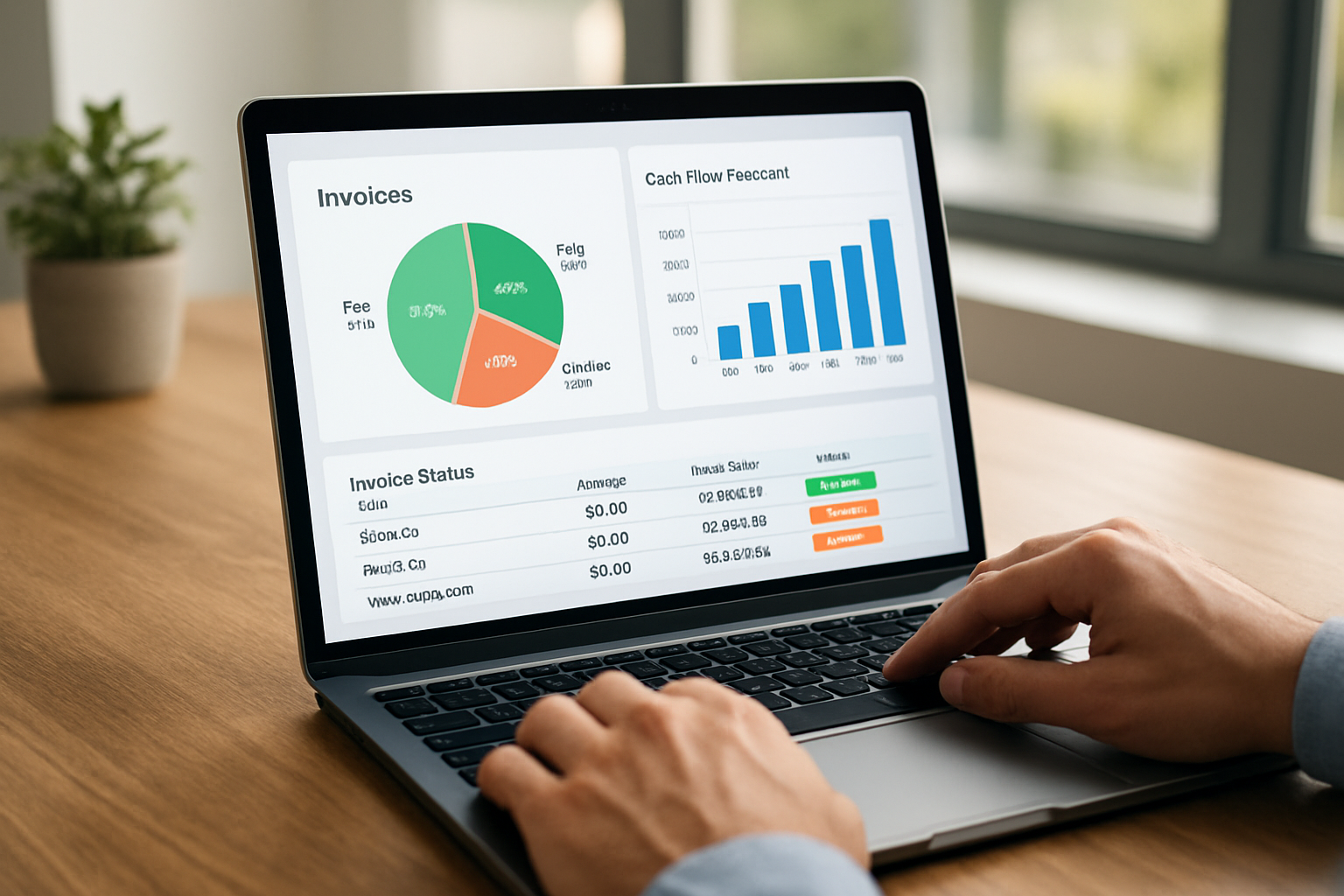
- Set up a dashboard that shows open invoices, expected receipts and bank matches.
How we measure success after launch
We track outcomes rather than features. After 30, 60 and 90 days we review the KPIs in the implementation checklist and iterate on reminder cadences, payment options and client-facing copy.
We also collect qualitative feedback from clients and staff—sometimes a tiny wording change in an invoice drives faster payments.
Example scenario: estimating time savings (hypothetical)
Imagine a small agency that issues 50 invoices per month and spends an average of 20 minutes per invoice on drafting, follow-up and reconciliation. If automation reduces that effort to 6 minutes per invoice, the team frees up roughly 11 hours of administrative work each month. That reclaimed time can go to client work, sales outreach or strategic planning. We present this as a hypothetical scenario to help teams model ROI for their context.
Where to look for further reading and data
We encourage teams to consult a mix of practical guides and data-driven reports. The Federal Reserve Small Business resources and surveys provide context on small-business credit and cashflow pressures; we review those materials when advising on liquidity strategies: Federal Reserve Small Business resources.
For tax and legal questions tied to invoicing and records, we again recommend the IRS guidance on business records: IRS recordkeeping for small businesses.
For teams in Brazil, SEBRAE offers practical support for small businesses: SEBRAE; IBGE provides national statistics: IBGE; the federal government portal lists regulatory information: gov.br; and Exame covers business and finance news: Exame.
Frequently asked questions
What makes a tool qualify as the best invoice management software 2026?We judge tools on speed to value, automation depth and integration quality. The best offerings let us send branded invoices in minutes, automate reminders and reconcile payments without manual entry. We also weigh vendor reliability and data controls heavily.
How long does a typical migration take?We aim for minimal disruption: a parallel run for two billing cycles often suffices. Migration time varies with data complexity; simple setups can switch in a week, while complex accounts with past balances may need four to six weeks.
Which payment methods should we enable first?We typically enable card payments and ACH for U.S. clients, then add wallets or local options if needed. Offering a fast, secure payment link often improves conversion on invoices.
Do we need an accountant when switching invoice systems?We encourage collaboration with an accountant during configuration, especially for tax rules and year-end reporting. Partnering early prevents classification errors and missed deductions.