How Invoicing and Payment Integration Works in 2026
Clear, practical guide on how invoicing and payment integration works in 2026 — security, technical patterns and a hands-on checklist to improve cash flow.
Neste artigo
- Introduction
- How Invoicing and Payment Integration Works: Overview
- How Invoicing and Payment Integration Works: Technical Components
- Best Practices for Invoicing and Payment Integration
- Real-World Examples and What We Learned
- Implementation Checklist and FAQ
how invoicing and payment integration works is a question we hear from founders, small business owners and freelancers every week. In this guide for 2026 we explain the flow, the technical pieces, the compliance touchpoints and a practical checklist so that we can move from fragmented tools to a unified system that reduces admin and speeds cash flow.
Introduction
We know that managing billing and payments feels like juggling while running a marathon. Multiple systems, missed follow-ups, delayed deposits and unclear financial oversight sap energy and growth. Our goal here is to map the landscape clearly: outline exactly how invoicing and payment integration works, what components we need, and how to adopt an approach that keeps client experience smooth and books tidy.

We will cover the architecture, security and compliance considerations, integration patterns, and pragmatic steps any small business can take today. Wherever we mention standards or regulation, we link to primary sources so readers can follow up directly.
How Invoicing and Payment Integration Works: Overview
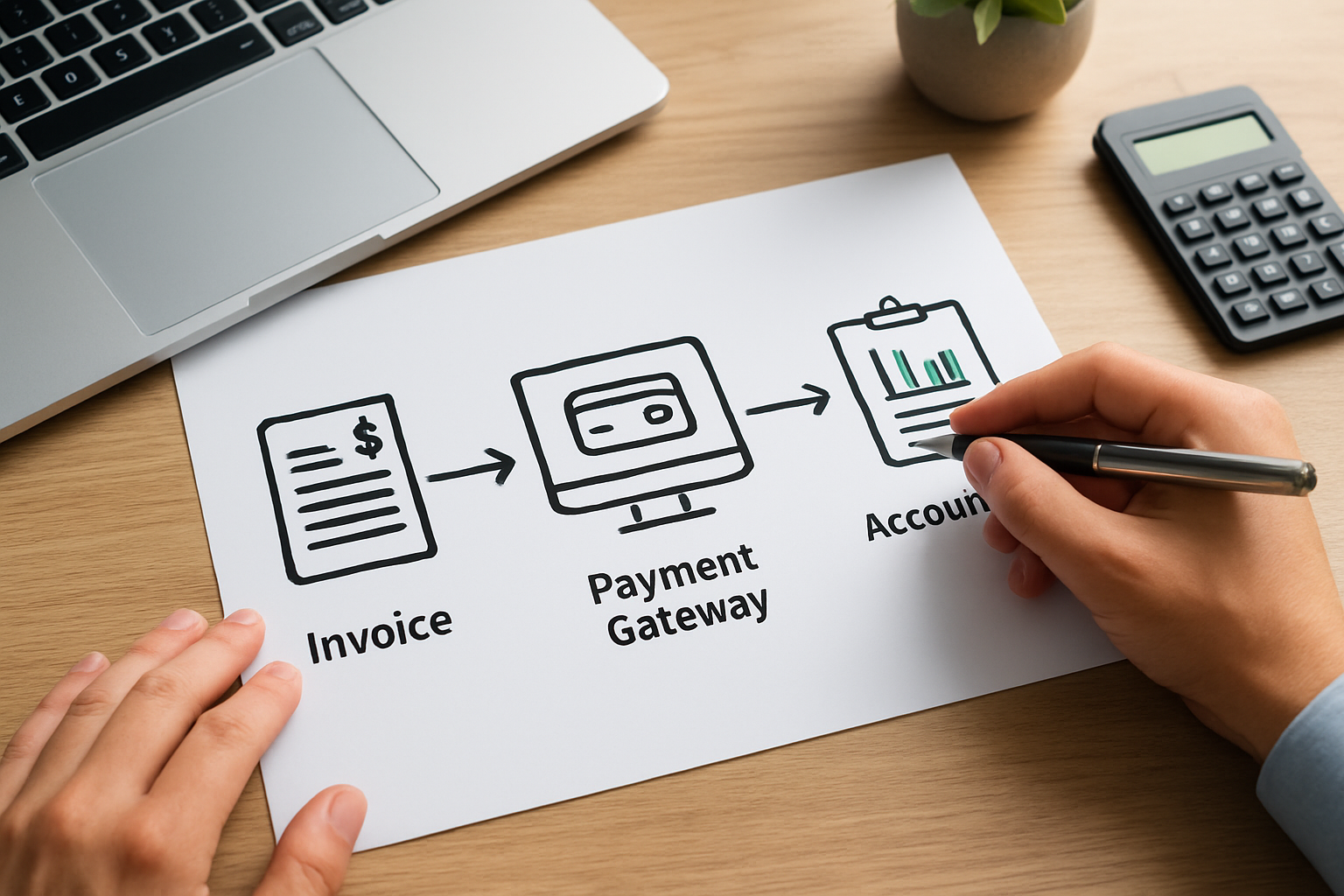
At a high level, how invoicing and payment integration works is about connecting three domains so they operate as one: billing generation (invoices), payment acceptance (card, ACH, digital wallets), and accounting reconciliation. When those domains communicate smoothly, we reduce manual work and accelerate the task-to-cash flow.

Think of the integrated system as a production line. An invoice is created, sent, paid and automatically reconciled with the ledger without human intervention. The line has checkpoints: validation, authorization, settlement and reconciliation. If any checkpoint fails, the system flags the issue and routes it for human review.
- Invoice creation: templates, taxes, customer data and payment terms.
- Payment processing: payment gateway, tokenization and settlement.
- Reconciliation: matching payments to invoices and updating accounting records.
Why integration matters for small businesses
We have limited time and tighter margins. Integrating invoicing with payments means fewer missed invoices, faster collections, and clearer cash forecasting. Operational clarity improves: teams see who owes what, when payments hit, and how revenue flows across projects. Integration turns fragmented tasks into a unified business hub that supports growth.
- Reduced days sales outstanding (DSO) through automated reminders.
- Lower administrative overhead by minimizing manual data entry.
- Better client experience with one-click payments on branded invoices.
Beyond the immediate operational wins, integration helps with planning. When we centralize receipts and expected settlements, our forecasts are more reliable and our decisions about hiring or inventory feel less like guesswork. Imagine running payroll with clearer visibility into incoming cash; that certainty alone changes how we invest in growth.
How Invoicing and Payment Integration Works: Technical Components
Understanding how invoicing and payment integration works requires we break the architecture into discrete, interoperable components. Each component has a role and interfaces with the others through APIs, webhooks or batch files.
Core components
- Invoice engine: generates invoices from quotes, projects or subscriptions and applies taxes and discounts.
- Payment gateway: accepts card, ACH or wallet payments and returns a tokenized payment identifier.
- Payment processor / acquirer: handles authorization and settlement to the merchant account.
- Accounting system: records receivables, posts payments and produces financial reports.
- Notification service: sends invoice emails, reminders and receipts; often via SMTP or transactional email providers.
Integration patterns we use
We typically see three reliable patterns in practice:
- Native end-to-end platform: billing and payments live in the same product, reducing latency and complexity.
- Best-of-breed via API orchestration: specialized invoicing tool connects to a payment gateway through APIs and a middleware layer orchestrates events.
- File-based reconciliation: batch exports and imports reconcile systems nightly when real-time APIs are unavailable.
For small businesses, the native or API-orchestrated approach often balances usability and cost. Middleware can be a lightweight integration layer we control or a commercial integration platform.
Events and data flows
In practice we model the flow as events. When an invoice is issued, an event triggers delivery to the customer and posts the invoice to accounts receivable. If the customer pays, the payment gateway emits a success webhook; we consume that webhook, mark the invoice as paid and post the journal entry in the accounting ledger. If a payment is declined, the webhook triggers a retry or a notification to the account manager.
- Event sources: invoice creation, payment authorization, settlement, chargebacks.
- Delivery mechanisms: REST APIs, webhooks, secure file transfer.
- Data persistence: single source of truth for customer and invoice records.
When we design integrations we prefer idempotent operations so repeated events do not create duplicates. That design choice reduces reconciliation headaches.
Idempotency and reliability in practice
One of the things we focus on is idempotency keys and clear retry semantics. In real operations, networks hiccup, gateways time out and webhooks can be delivered more than once. We assign an idempotency key to every invoice-related event so replaying a webhook won't create duplicate receipts or invoices. That small discipline prevents the most common reconciliation surprises.
We also monitor webhook delivery rates and queue latency. If a queue backs up, we throttle non-critical notifications and prioritize settlement messages. In practice, this means settlements land in the ledger promptly while less urgent emails can wait. A light monitoring dashboard that shows last-success timestamps for each integration often prevents late-night fires.
Best Practices for Invoicing and Payment Integration
We recommend a handful of pragmatic practices that keep the system resilient and maintainable. These are the operational guardrails we apply when implementing integrations for small businesses and freelancers.
Security and compliance first
We must protect payment data. Tokenization and PCI compliance are non-negotiable for card data. For authoritative guidance on payment security standards, we refer to the PCI Security Standards Council for technical requirements and best practices: PCI Security Standards.
- Use tokenization so the gateway stores card numbers, not our database.
- Implement TLS for all data in transit and strong encryption at rest.
- Limit access with role-based controls and audit logs.
Accurate customer data
Before we send an invoice, we must ensure customer records are correct. Bad addresses or obsolete tax IDs slow payments and risk compliance issues. We use validation checks and integrations with CRM records so the invoice engine always pulls the latest customer profile.
- Automate address and tax ID validation where supported.
- Keep payment terms and preferred payment methods on the customer profile.
Transparent payment options and UX
Payment friction equals late payments. When we embed clear payment buttons, display accepted methods and show estimated processing times, clients pay sooner. Branded invoices that include a secure, one-click payment link convert significantly better than generic invoices; that conversion lift is something we measure internally when experimenting.
- Offer multiple payment methods: card, ACH, and digital wallets.
- Show invoices as PDFs and as secure web pages for immediate payment.
Automation and error handling
Automation reduces manual toil, but we build robust error handling. Retries for transient gateway errors and clear escalation paths for chargebacks keep operations smooth. Importantly, we log failures with sufficient context so reconciliation is straightforward.
- Retry policies for transient network or authorization errors.
- Automatic reminders and late fees per agreed terms.
- Flagging and manual review workflows for exceptions.
Compliance with reporting obligations
We must report payments correctly for tax purposes. The IRS and state tax agencies provide guidance on income recognition and reporting of electronic payments. We align our ledger posting rules so fiscal reports match payment processor statements.
Handling multi-currency and cross-border payments
As we serve clients beyond our local market, we need clarity around currency conversion and settlement timing. Multi-currency invoices require we show both the billed amount and an estimated local equivalent so clients understand what they will pay. We design fee passthroughs or absorb fees strategically depending on client relationships and invoice size.
- Display local-currency equivalents on web invoices to remove guesswork.
- Plan for settlement delays and conversion spread when forecasting cash flow.
- Keep clear records of FX rates used for each settlement for auditability.
Handling cross-border payments well often turns into a competitive advantage: clients appreciate transparent fees and predictable timing. We test common client corridors to learn the typical delays and route larger invoices via lower-fee rails like ACH or bank transfer where practical.
Real-World Examples and What We Learned
Examples help translate abstract architecture into real choices. We will sketch scenarios for a startup founder, a small business owner and a freelancer to show how different integration patterns map to business needs.
Startup founder scenario
Imagine Maria, a founder scaling from pilot customers to a broader market. She needs a solution that grows without a huge upfront cost. We recommend starting with a unified platform that handles invoicing, subscription billing and payments natively. That reduces integration burden and gives instant dashboards for forecasting.
- Start with native billing + payments to minimize early complexity.
- Use webhooks to sync revenue events to the controller’s accounting system.
- Plan for exportable data should a migration be necessary.
For research on small business needs and growth challenges we consult resources like the Small Business Administration, which offers practical guides on financial management.
Small business owner scenario
Sarah runs a local services business and juggles multiple software tools. For her, the priority is a single customer view and automated reconciliation so she spends less time on admin and more on service delivery. We design an API-orchestrated approach that connects her CRM, invoicing and bank feeds using lightweight middleware.
- Centralize customer communications and payment history in one place.
- Automate bank reconciliation using payment processor settlement files and the accounting ledger.
- Include automated dunning to reduce manual follow-up.
Freelancer and consultant scenario
David provides project-based work to multiple clients. He needs fast invoicing, simple payment links and clear project-level reporting. We often recommend a lean, integrated tool that sends branded invoices with a payment button and posts receipts to a single ledger. This approach minimizes time away from billable work.
- Create invoice templates per project type.
- Enable ACH to reduce card fees for larger invoices.
- Keep project history attached to client records for quick reference.
When we consider risk of fraud or disputes, authoritative research on electronic payment trends helps. For broader industry signals we monitor reputable reporting such as Reuters, which covers payments industry shifts and macro trends affecting settlement practices.
We also document migration case notes when moving from a legacy stack. For example, during one staged migration we introduced a parallel invoicing stream so new invoices were issued from the new platform while legacy invoices remained untouched until fully settled. That staged approach reduced client confusion and cut support volume during the transition.
Implementation Checklist and FAQ
Below is a practical checklist to implement an integrated invoicing and payment flow. We can follow these steps as a roadmap and adapt them to our business size and complexity.
- Define objectives: faster collections, fewer errors, unified customer view.
- Catalog systems: list invoicing, CRM, accounting, payroll and bank details.
- Choose integration pattern: native, API-orchestrated, or batch reconciliation.
- Secure payment processing: select a gateway, enable tokenization and verify PCI scope.
- Design event model: invoice created, payment attempt, settlement, dispute.
- Build retries and error handling: idempotent operations and clear logs.
- Test reconciliation: reconcile settlements to ledger entries during pilot.
- Train staff: procedures for exceptions, refunds and refunds timing.
- Monitor metrics: DSO, failed payments, and reconciliation variance.
We also follow guidance for cybersecurity best practices provided by the National Institute of Standards and Technology when designing secure interfaces and access controls.
Checklist explained with practical examples
For example, when we test reconciliation we simulate a settlement delay: the gateway indicates authorization today but settlement posts in two days. We validate that our ledger records a pending payment and moves it to received status once settlement appears. That simulation catches timing bugs before they hit the general ledger.
- Example test: simulate a declined card and ensure the system sends retry attempts and a human alert.
- Example test: create a customer with tax-exempt status and verify the invoice applies the correct tax logic.
Frequently Asked Questions
How do we start integrating invoicing with payments without disrupting clients?We start with a pilot group of clients and a clear rollback plan. First, we enable payment buttons on new invoices while leaving the existing process for legacy invoices untouched. Then we monitor payment rates and client feedback for two billing cycles before full rollout.
What security steps must we implement to accept card payments?We minimize PCI scope by using a payment gateway that supports client-side tokenization so sensitive card data never touches our servers. We enforce TLS, apply role-based access controls and keep an audit trail for payment events. For technical standards we consult the PCI Security Standards.
How do we reconcile payments that arrive with partial amounts or fees?We implement a reconciliation logic that records gross receipts and processor fees as separate ledger entries. If a partial payment arrives, we leave the invoice partially open and trigger automated reminders according to our dunning schedule. Manual review flags help us resolve disputes quickly.
How do we handle refunds and chargebacks in an integrated flow?We treat refunds as negative payments that generate credit memos and adjust the ledger. Chargebacks create a pending liability until resolved. Our workflow links the original invoice and payment token to the dispute case so auditors can trace the full lifecycle.
When we evaluate tools we look for systems that align with our values of client-centric efficiency and operational clarity. My Business Suite, for example, positions itself as a unified business hub that helps small businesses manage invoices, payments and client interactions in one place; that positioning is useful when comparing options for an integrated rollout.
We have outlined architecture, patterns, and a practical checklist so we can move from manual collections to automated, auditable cash flow. If we follow this plan, our teams spend less time on admin and more time on growth.