My Business Suite vs QuickBooks Online: Which to Choose
A practical 2026 comparison of My Business Suite vs QuickBooks Online to help small businesses pick the right unified business hub or accounting-first tool.

Neste article
- Overview: My Business Suite vs QuickBooks Online
- Feature comparison
- Pricing & ROI comparison
- User experience and onboarding
- Security, compliance and data
- Which to choose: Practical recommendation
- FAQ
My Business Suite vs QuickBooks Online is a comparison many of our clients ask us to make when they want a unified platform that handles CRM, invoicing, project workflows and financial tracking. We will walk through features, pricing, user experience, security and the kinds of businesses that benefit most from each option, so we can choose with confidence for 2026.
Overview: My Business Suite vs QuickBooks Online
We begin with a short description of intent: My Business Suite is an all-in-one business management platform aimed at small businesses, freelancers and founders who want a single place to manage customers, tasks and finances. QuickBooks Online is a widely known cloud accounting product focused primarily on bookkeeping, payroll and tax-ready financial reports. That distinction matters: one tool is built as a unified business hub; the other centers on accounting first.

To make practical decisions, we look at core needs:
- Do we want a single dashboard for clients, projects and cash flow?
- Do we need advanced accounting workflows and tax-prepared financials?
- How important is team collaboration and customer communication from the same tool?
In the United States, small business owners often juggle multiple apps to solve these problems. The U.S. Small Business Administration offers guidance on choosing tools that fit scale and compliance needs; we recommend reviewing that guidance when planning software investments.
When each product makes sense: My Business Suite vs QuickBooks Online
We can summarize quickly:
- Choose a unified stack like My Business Suite when we want one platform to manage leads, projects, client communication and the accounting pipeline from task to cash.
- Choose an accounting-first platform when our priority is advanced bookkeeping, tax workflows and integrations with payroll or certified accountants.
Feature comparison: My Business Suite vs QuickBooks Online
Now we dive deeper into features and how they affect daily operations. We will evaluate four core dimensions: operational workflows, finance and invoicing, client management, and automation & integrations.
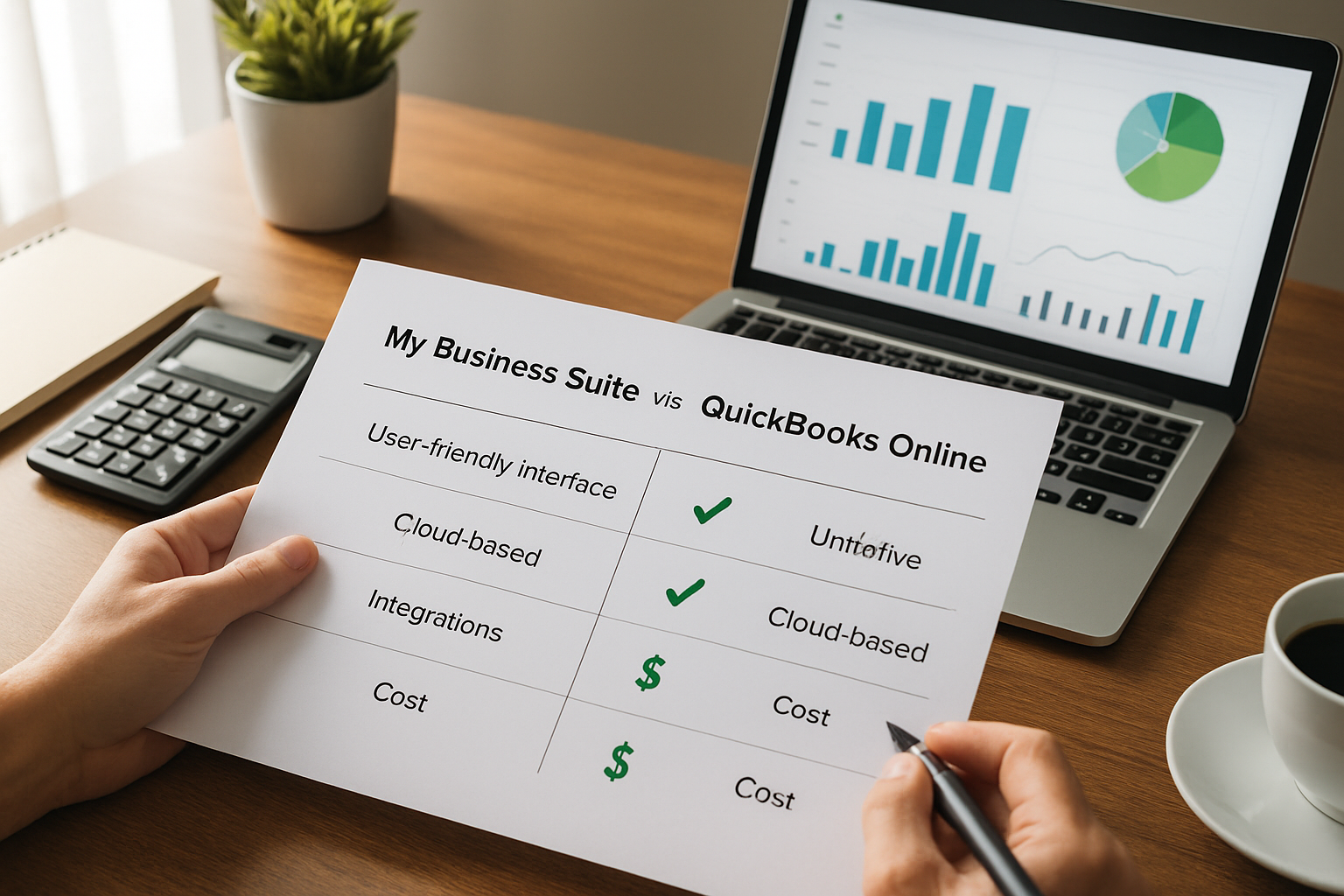
Operational workflows: projects, tasks and visibility
We need transparent workflows. My Business Suite was designed so that project tasks, timelines and client-facing touchpoints live in the same place as invoices and payment history. That means less context switching for teams.
- Centralized dashboards: we can see task status, overdue items and client messages alongside cash flow snapshots.
- Client-specific views: we can open a client profile and access project milestones, communication logs and billing history without hopping between apps.
- Built-in templates: many users tell us templates speed onboarding for recurring service work.
By contrast, an accounting-first product typically requires additional project management add-ons to achieve the same visibility. If our daily rhythm depends on moving tasks to invoices smoothly, a unified hub reduces friction and missed billable hours.
Consider a small marketing agency that manages three retainers and five one-off campaigns at the same time. In a fragmented setup, account managers toggle between a project tool, a separate CRM and the accounting system to prepare a single invoice. With My Business Suite as the central hub, we keep the campaign brief, time logs and invoice draft in one client view, so the month-end close is no longer a scavenger hunt. This kind of operational clarity often shortens billing cycles and reduces reconciliation errors.
Finance and invoicing: My Business Suite vs QuickBooks Online
Finance remains decisive for most purchases. Both platforms offer invoicing and payment tracking, but the workflows differ.
- My Business Suite: invoices are often generated from projects or time logs, so the path from task to cash is direct. We can automate reminders tied to project milestones and keep client conversations linked to outstanding invoices.
- Accounting-focused tools: they usually excel at bank reconciliation, accrual accounting and tax-ready reports, critical if we need certified financial statements for lenders or investors.
For official tax and recordkeeping guidance, we consult the IRS, which outlines required documentation for small businesses. If compliance and accountant-ready books are our first priority, accounting-grade reports matter more. If operational clarity and client workflows drive revenue, the task-to-cash flow in a unified solution can increase billable efficiency.
To illustrate the practical difference, imagine a freelance designer who logs 30 hours per month across five clients. If each time entry turns automatically into a draft invoice in My Business Suite, we cut manual invoicing steps and shrink the time between work completion and billing. That accelerates cash collection without adding accounting complexity, especially useful when we prefer to focus on billable work rather than chasing paperwork.
Client management and communication
We rarely sell on features alone; we sell on client experience. When the CRM, messaging and invoicing are connected, clients receive consistent communication and branding.
- Unified messaging reduces the risk of duplicated contacts or missed follow-ups.
- Automated client journeys help maintain touchpoints after a sale.
- Embedded forms and client portals create a single source of truth for files and contracts.
Our recommendation is to map the client lifecycle in a single diagram before choosing software: prospect → contract → project → invoice → retention. If that lifecycle lives across three apps today, consolidation often reduces churn and manual work.
As a concrete approach, we design a "client map" during vendor evaluation: note every client touchpoint, the owner of that touchpoint and the piece of data required to move to the next stage. When we run that map inside a single platform, handoffs disappear and the client experience becomes consistent; branding, tone and timing all improve because the system enforces them.
Automation, integrations and extensibility
No platform exists in a vacuum. We need to know how well each option integrates with payroll, payment processors, tax apps and niche tools.
- APIs and integrations make it possible to connect specialized tools while keeping core operations in one place.
- Prebuilt connectors to banks and payment gateways save reconciliation time.
- Automation rules, like creating an invoice when a project milestone completes, cut administrative overhead.
Before any switch, we map critical integrations and check whether the vendor supports them out of the box or via API. For regulatory and privacy questions, we consult official guidance such as the Federal Trade Commission resources on data protection and consumer privacy.
Practical integration checklist we use during evaluations:
- List the top five systems we cannot operate without and verify connector availability.
- Confirm the vendor's API rate limits and developer documentation.
- Test a live sync for one sample record to validate field mappings.
- Ask about error handling and notification when an integration fails.
These steps help us avoid surprises and ensure the unified hub truly reduces app sprawl instead of adding fragile links.
Pricing & ROI comparison
Pricing is rarely just list price. We must calculate total cost of ownership (TCO): subscription fees, onboarding, training, migration and the cost of any add-on apps we would otherwise need.
Key variables we examine:
- Seat or user fees and whether team collaboration costs extra.
- Modules included by default vs. add-ons for payroll, advanced reports or CRM features.
- Migration and implementation costs; time is money.
Estimating ROI
To decide rationally, we run an ROI scenario. Imagine a service firm billing $120,000 annually, with 1,200 billable hours at $100/hour and 15% time lost to admin. If a unified platform reduces admin time by 25%, we free up nearly 45 additional billable hours per year, translating to roughly $4,500 in incremental revenue. That is a simple, conservative scenario; actual gains compound when churn decreases or invoicing accelerates.
When price differences are modest, the platform that saves us more time and reduces app sprawl often wins. Before finalizing, we request a full price breakdown and a projected TCO for 12–24 months, including implementation and third-party integrations.
Pricing transparency checklist
- List monthly and annual pricing tiers.
- Confirm which features are included at each tier.
- Ask about migration assistance and whether training is part of the package.
- Calculate expected savings from reduced admin and faster collections.
Payback period example
We like to estimate payback: if My Business Suite costs $150 per month and implementation plus training is $1,200, our first-year TCO is $2,000. If our consolidation saves four hours per month at a blended rate of $75/hour, we recover $3,600 in productive time the first year—so the payback is less than 12 months. This is a hypothetical calculation, but running this exercise with our real rates quickly shows which option pays for itself sooner.
User experience and onboarding
User adoption determines project success. We often see a beautiful product fail because teams never internalize new workflows. Therefore, onboarding experience and support are non-negotiable.
What to evaluate
- Speed of initial setup and data import capabilities.
- Quality of templates and role-based access controls.
- Availability of guided onboarding, help center resources and responsive customer support.
We recommend running a 30-day pilot with representative users. During the pilot, we test real tasks—create projects, log time, issue invoices, reconcile a sample bank statement—so we can measure the friction points and training needs.
Training best practices
Successful onboarding blends structured sessions and ongoing micro-learning. We suggest:
- Kickoff workshop for admins and power users.
- Micro-lessons (10–20 minutes) on daily tasks.
- Templates and playbooks for recurring workflows.
In our experience, dedicating two to four weeks of focused onboarding yields far greater long-term adoption than a rushed rollout.
During the pilot we track simple KPIs: percentage of users completing a task without help, time to create and send an invoice, and average days to payment after invoicing. These metrics reveal whether training is effective and whether the tool really reduces friction for day-to-day work.
Security, compliance and data
Security is not an optional checkbox. We must ensure proper access controls, encryption in transit and at rest, and consistent backup policies. For legal and tax questions about records and retention, the IRS recordkeeping guidance explains what we should keep and for how long.
- Access controls: role-based permissions reduce risk of accidental exposure.
- Encryption and backups: verify encryption standards and backup frequency.
- Compliance: confirm whether the vendor supports industry-specific requirements if we operate in regulated verticals.
We also examine data portability and exit clauses. If we ever decide to change vendors, how easy is it to export our full client and financial history? A platform that locks data behind proprietary formats creates long-term cost and risk.
To assess the vendor’s security posture, we check independent attestations such as SOC 2 or ISO reports when available, and ask for recent penetration test summaries. If we need a public benchmark of labor and business trends to justify investment in systems, the Bureau of Labor Statistics provides authoritative data on employment and industry shifts.
Practical steps for safe data migration include creating an export checklist, validating sample exports in a sandbox, and keeping immutable backups during the transition. We insist on testing exports for customers, invoices and the chart of accounts so that, if needed, switching vendors remains a technical task rather than a business crisis.
Which to choose: Practical recommendation
We synthesize the analysis into recommendations tailored to three archetypes in our audience: startup founders, small business owners and freelancers/consultants.
For startup founders like Maria
We want scalability, consistent branding and dashboards to follow team productivity. If our growth plan emphasizes coordinated sales, project delivery and cash collection without ballooning costs from multiple tools, a unified platform like My Business Suite often becomes the growth catalyst: it reduces app fragmentation and centralizes client relationships and finances.
For small business owners like Sarah
We juggle multiple responsibilities and need simple, dependable tools. If our bookkeeping needs are basic but we suffer from missed follow-ups and fragmented communication, the operational clarity provided by a unified solution will usually increase collections and reduce late-invoice cycles. However, if we foresee needing auditor-ready financial statements next year, we should verify that our chosen platform can produce the required reports or export clean data for an accountant.
For freelancers and consultants like David
We prioritize speed: project organization, professional invoices and faster payments. A single platform that links project time directly to invoicing and automates payment reminders saves the most billable time. If payroll and complex tax workflows are not part of our immediate need, a unified tool that keeps projects and clients in one place is often the best value.
We recommend the following decision flow:
- Map our most frequent workflows and pain points.
- Calculate expected administrative time saved by consolidation.
- Run a 30-day pilot with representative users and real data.
- Assess security, export options and TCO for 12–24 months.
If the primary problem is fractured client communication and lost billable hours, favor a unified product. If the primary problem is complex bookkeeping that must satisfy external accountants or lenders, prioritize an accounting-focused solution.
Next steps we take together
We suggest creating an internal checklist with required integrations, essential reports, acceptable price range and an adoption plan. Then we request demos that walk us through our specific workflows rather than generic feature tours.
To move from decision to action, we usually run two parallel tracks: vendor validation and internal readiness. On the vendor side, we confirm integrations, security attestations and export formats. Internally, we prepare owners for the change, assign a launch champion and schedule the pilot. This dual approach keeps momentum and reduces the risk of stalled projects.
FAQ
How do we migrate data safely between systems?We recommend exporting all client, invoice and transaction data to CSV or standardized accounting formats, then running an import in a sandbox environment. Confirm data mapping for customer IDs and reconcile opening balances. If available, request migration assistance from the vendor or hire a certified consultant for the first month.
Will consolidating tools save money?Often yes, but we must calculate TCO. Savings come from fewer subscriptions, less training time and reduced reconciliation work. Create a 12-month TCO model that includes subscription fees, migration and expected productivity gains to make an informed choice.
Can we export our financial data if we switch later?We insist on clear export guarantees. Verify the vendor can produce standard exports for customers, invoices, chart of accounts and transaction history. Ask for a sample export before signing a long-term contract.
What security standards should we ask about?We ask for encryption in transit and at rest, role-based access controls, regular backups and independent security attestations such as SOC 2. For industry-specific needs, confirm any compliance standards required for your vertical.
We hope this guide helps us choose the right path. If we want a single, client-centric hub that links tasks to cash flow and reduces app sprawl, My Business Suite aligns with that strategy. If we need deep accounting capabilities and accountant-ready reports, ensure the chosen product meets those requirements before committing.
For additional planning resources on small business tools and recordkeeping, we consult the U.S. Small Business Administration and the IRS. If we want labor or industry benchmarks, the Bureau of Labor Statistics is authoritative. For data protection guidance, the FTC provides practical checklists.