Team Communication Platform Pricing per User in 2026
Explore 2026 pricing models for team communication platforms, cost formulas, negotiation tactics and a sample budget for small teams.
In this article
- Introduction: what to expect in 2026
- How team communication platform pricing per user works
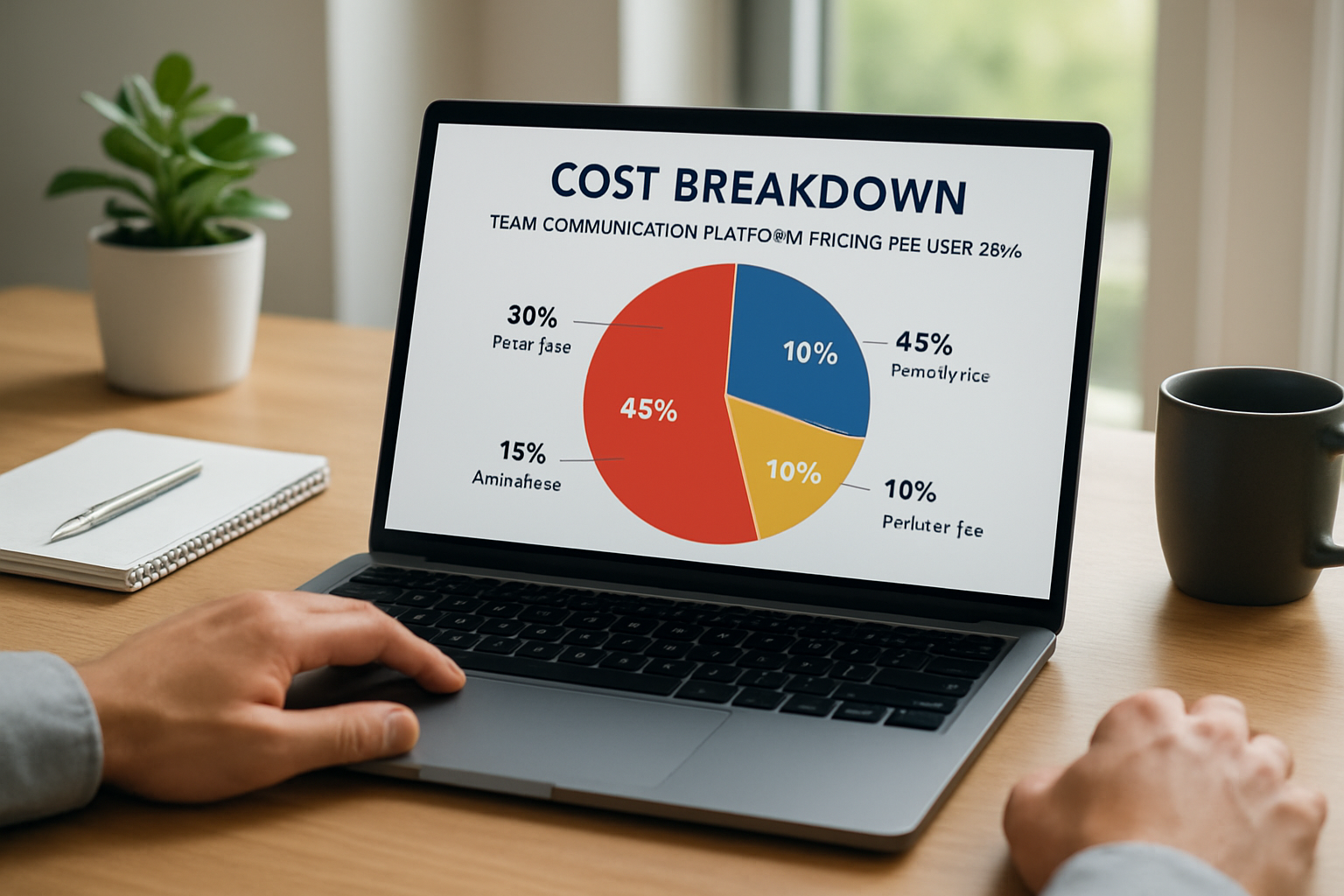
- Team communication platform pricing per user: cost breakdown
- How we reduce per-user costs
- How we choose the right plan for our business
- Implementation and hidden costs to watch
We start by saying that understanding team communication platform pricing per user in 2026 is more than reading a price tag; we must map features, workflows and growth plans together. We know that small businesses, founders and freelancers want predictable monthly costs that translate into productivity gains and clearer client interactions. We wrote this guide to make pricing transparent and usable.
1. Introduction: what to expect in 2026
We see 2026 as the year when clarity in subscription billing matters as much as the tools themselves. We recognize that many teams moved to hybrid operations and that the line between internal chat, project tasks and invoicing blurred. We believe that evaluating team communication platform pricing per user starts with three questions: what do we need, how will we scale, and what outcomes will justify the spend?

We will keep this practical. Below we list the market drivers that shape pricing and show how to translate vendor tiers into predictable cost-per-user math.
- Growth and headcount planning that affect per-user totals.
- Feature bundling that changes perceived value (video, file storage, compliance).
- Integration needs that create hidden implementation costs.
2. How team communication platform pricing per user works
We often find confusion around the models vendors use. In 2026, pricing usually follows a handful of clear patterns. We will describe each model, give a concrete example, and note where small teams can save.

Subscription tiers and per-user seats
We encounter the classic approach: a per-user, per-month fee tied to a tier (Free, Pro, Business, Enterprise). We measure cost by multiplying seats by the monthly rate and adding taxes or transaction fees where applicable. For instance, if we adopt a $10/month plan and have 12 seats, the basic subscription is straightforward math: 12 × $10 = $120 per month.
- Tiers often restrict features: user provisioning, advanced admin controls, single sign-on.
- Free tiers may limit message history or integrations, pushing growth teams to pay sooner.
Per-active-user vs per-licensed-user models
We notice that some vendors charge only for active users within a billing cycle, while others bill for every licensed seat regardless of activity. We prefer per-active-user when our workforce is partly external or seasonal; we prefer per-licensed-user when we expect all seats to be used consistently.
To make the choice concrete, imagine a consultancy that has 30 licensed seats but an average of 18 active contributors each month. Under a per-active-user model we pay for 18; under a per-licensed model we pay for 30. The difference compounds over a year, so we factor this into any ROI calculation.
Feature-based add-ons and usage fees
We must account for extras: webinar hosting, transcription minutes, premium storage and compliance packs. Vendors may advertise a low per-user baseline but add usage fees that push the effective per-user cost higher. We always list probable add-ons and estimate monthly usage before picking a plan.
- Video meeting minutes and recording storage.
- Advanced security features such as DLP (data loss prevention).
- Third-party integrations and API calls beyond a free threshold.
3. Team communication platform pricing per user: cost breakdown
We break down costs into direct subscription, one-time implementation, integrations and the human costs of adoption. We will show how to calculate all of these and present an example scenario that small businesses can adapt to their own numbers.
Direct subscription costs
We compute subscription costs by taking the vendor’s per-user rate and applying discounts or annual billing where available. Annual commitments commonly reduce monthly equivalents by 10–25 percent; we check whether our cash flow can absorb that tradeoff.
- Monthly billing gives flexibility for scaling up or down.
- Annual billing usually gives lower effective per-user pricing.
Implementation and integration costs
We do not underestimate the time IT and operations invest in connecting a communication platform to CRM, invoicing or HR systems. We budget for configuration, SSO setup and migration of conversation history where needed. If we lack internal expertise, we add third-party consultant hours.
To make that concrete: a small business migrating to a unified hub can expect a few days of admin work, or a few hundred to a few thousand dollars in consultant fees depending on complexity. We always request a scope of work and firm estimate before agreeing to paid professional services.
Training, change management and productivity ramp
We count human time as real cost. Training sessions, creating internal guides and the productivity dip as teammates learn new flows all affect the effective per-user economics. We measure adoption by active use metrics in month one, three and six to validate the spend.
- Initial training improves adoption and reduces long-term costs.
- Power users who act as champions reduce overall support time.
Measuring team communication platform pricing per user ROI
We add a practical measurement step: define 3–5 KPIs tied to revenue or time savings before purchase. Typical KPIs include average time to invoice, number of client touchpoints saved, and reduction in internal email volume. We track these alongside adoption metrics such as DAUs and message-per-user to attribute improvements to the platform.
For example, we measure average time from task completion to invoice creation for four weeks before and four weeks after rollout. If the platform reduces that time by 20 percent, we translate the saved hours into billable rates to estimate monthly savings. The process is not glamorous but it makes negotiation data-driven and keeps the team accountable.
4. How we reduce per-user costs
We can lower the effective team communication platform pricing per user without sacrificing capability. We recommend negotiation strategies, architectural choices and behavioral changes that shrink the monthly line item.
Negotiate with data, not emotion
We prepare usage data and a growth plan before talking to vendors. Vendors often have unpublished discounts for startups or multi-product bundles. We ask for pilot pricing and revisit seat counts after three months. Negotiation can lower per-user fees, especially when we commit to volume or annual billing.
- Request promotional rates for the first 6–12 months to accelerate adoption.
- Bundle multiple tools from the same vendor to get cross-product discounts.
Optimize seat allocation
We audit who truly needs a paid seat. Not every stakeholder needs full access daily. We create roles: full users, limited users and guests. We assign guests or shared mailboxes to contractors to avoid paying for inactive seats.
In practice, we move non-essential watchers to guest roles and reserve licensed seats for core collaborators. That small change often reduces monthly bills by double digits.
Leverage integrations to replace tools
We map redundancy: if a communication platform can handle simple project tasks, document sharing and basic invoicing links, we retire separate paid apps. Consolidation lowers the total cost of ownership and simplifies workflows.
We validate any consolidation with a short pilot; if productivity drops, we revert. The point is to use real metrics to justify consolidation rather than hope that fewer apps equals lower costs.
Practical tactics to lower team communication platform pricing per user
We apply small operational changes that compound. Examples: implement rotational licensed seats for part-time teams, enforce automatic archive rules to reduce storage fees, and compress recordings or keep transcripts instead of full video when storage costs spike. We also stagger annual renewals across vendors to smooth cash flow and increase leverage during negotiation windows.
One practical move we made: create a shared contractor pool of five licensed seats for a team of 15 occasional contributors. We schedule seat allocation weekly and couple it with a lightweight onboarding checklist so switching seats does not slow work. The net effect: lower monthly licensing while preserving access when needed.
5. How we choose the right plan for our business
We select plans based on growth trajectory, compliance needs and the value of time saved. We provide a step-by-step checklist so we can make a defensible decision.
- List must-have features: SSO, audit logs, integrations, storage limits.
- Estimate monthly active users and peak usage patterns.
- Project expected add-on usage: meeting hours, recording storage, API calls.
- Request a trial and exportable usage reports to verify vendor claims.
- Negotiate terms including data ownership and exit portability.
We test a short pilot with a cross-section of teams. We measure adoption, task completion speed and any friction in client-facing communications. We then annualize the costs and compare them to projected efficiency gains.
When we need help quantifying benefits, we consult resources that guide small businesses on tech choices. For regulatory and small business guidance we refer to official government guidance for general technology planning and readiness checks (gov.br: small business technology guidance).
6. Implementation and hidden costs to watch
We remain pragmatic: vendor pricing is rarely the whole story. We list hidden costs and the pragmatic checks we perform before signing any multi-year contract.
Data export and exit fees
We ask explicitly about data export formats and potential exit fees. Some platforms make historical conversation export cumbersome, which creates a vendor lock-in cost. We insist on test exports during trials.
Compliance, legal review and security audits
We budget for legal and security reviews when our business handles regulated data. If we need enterprise-grade compliance, we expect higher per-user fees and extras for audit logs and data residency. We consult reputable coverage on evolving workplace norms to inform our compliance posture; for broader trends we check reporting such as the Reuters coverage of remote and hybrid work dynamics (Reuters: remote work reporting).
Support tiers and response time
We verify the support SLA and who answers our questions. Paid priority support often costs extra yet saves time during incidents. We estimate potential downtime costs to decide if a premium support tier pays for itself.
Third-party connector fees
We audit any needed connectors that bridge the communication platform to accounting, CRM or payroll. Sometimes connectors have separate subscriptions, so we add those to the total per-user cost.
For reading about people and work culture changes that influence tool adoption, we consult long-form reporting like BBC Worklife to understand user expectations and common friction points (BBC Worklife: team collaboration insights).
Before broad rollout we run a short, realistic pilot that simulates peak usage with exported logs, connector traffic and storage growth. We make sure to include a governance checklist: who owns onboarding, how we rotate seats, and who approves additional connectors. That governance step prevents small overruns from becoming structural costs.
Case example: a 12-person services firm (practical math)
We compute a transparent sample so we can see real numbers. We assume conservative usage and list each cost bucket so others can adapt the template.
- Base per-user subscription: $8/month (business tier) × 12 seats = $96/month.
- Video overage and recordings: estimated $30/month.
- One-time implementation and SSO setup: $1,200 (consultant) amortized over 12 months = $100/month.
- Training and change management: equivalent to 8 hours of staff time at $40/hour = $320 one-time (amortized at $26.67/month over 12 months).
We add the numbers: $96 + $30 + $100 + $26.67 = $252.67/month, or about $21 per user per month effective cost in year one. We track these numbers and re-evaluate in month six to catch savings or overruns.
In year two we often find opportunities to reduce the figure: renegotiated rates, lower storage after archive policies, and retiring overlapping apps. For example, after enforcing a 90-day auto-archive and switching to transcript-first meeting storage, one small firm we advised cut its recorded-storage expense nearly in half. The key is that we measure, act, and re-measure rather than assume the initial quote is permanent.
We want to stress that numbers vary wildly by needs. We always validate vendor quotes and ask for a line-item breakdown.
Further reading and resources
We recommend several authoritative sources to inform our planning and negotiation:
- gov.br: small business resources on technology
- Reuters reporting on workplace and technology trends
- Global workforce trends
- PubMed for research on communication effectiveness
- gov.br: official Brazilian government services and guidance
- SEBRAE: small business support and technology resources (Brazil)
- IBGE: demographic and economic data (Brazil)
- Exame: business and technology coverage
We also note that a practical, unified approach reduces friction. When we consolidate client communication, invoicing and task workflows into a single hub, we often see faster client responses and clearer accounting. For companies like ours, building operational clarity and client-centric efficiency, this is the kind of outcome we seek. My Business Suite builds on that same philosophy of unifying tools to turn tasks into cash flow, so we consider platform choices not only by price but by the clarity they deliver.
Conclusion: how we think about pricing decisions in 2026
We close by reaffirming that team communication platform pricing per user is a starting line, not the finish. We calculate the full cost of ownership, pilot before committing, and negotiate with clear usage data. We recommend aligning any subscription with measurable outcomes: reduced email volume, faster response times, fewer missed deadlines, and clearer client billing cycles.
We believe that with a transparent approach—mapping licenses, add-ons and human costs—small businesses can confidently choose a plan that grows with them. We also believe that the best investment is the one that frees time for revenue-generating work.
Frequently asked questions
How do we calculate the true monthly cost per user?We calculate true monthly cost per user by adding base subscription fees, amortized implementation and training costs, estimated usage fees (video, storage), connector subscriptions and any premium support fees, then dividing the total by the number of active users. We update this model quarterly to reflect real usage.
Should we choose per-active-user or per-licensed-user billing?We choose per-active-user when we have contractors, seasonal staff or many clients who need guest access. We choose per-licensed-user when full-time staff consistently use the platform. We run a 30–90 day pilot to see real activity before selecting.
How can we negotiate a lower per-user rate?We negotiate by presenting projected growth, committing to annual billing, bundling products and asking for promotional trial rates. We also request detailed billing and SLA terms up front so there are no surprises.
What hidden costs should we look for during trials?We watch for restricted message export, connector fees, limits on meeting recordings, compliance add-ons and premium support requirements. We run test exports and simulate peak usage during trials.