What Is a Cloud-Based Platform: Benefits for Small Businesses
Discover what is a cloud-based platform in 2026 and how small businesses gain efficiency, better cash flow and simpler operations with cloud tools.
Neste artigo
- What Is a Cloud-Based Platform: Core Definition
- How Cloud-Based Platforms Work
- What Is a Cloud-Based Platform: Key Benefits for Small Businesses
- Choosing a Platform and Migration Tips
- Cost, ROI and Practical Examples
- Implementation Checklist and FAQs
what is a cloud-based platform is a question we hear from founders, freelancers and small business owners every week. a cloud-based platform delivers software, storage and compute services over the internet so businesses can run operations without maintaining local servers. We will unpack a clear definition, practical advantages, migration steps, and how tools like My Business Suite fit into that picture for 2026.
What Is a Cloud-Based Platform: Core Definition
When we ask what is a cloud-based platform, we should begin with a grounded definition. The U.S. National Institute of Standards and Technology (NIST) defines cloud computing as a model for enabling on-demand network access to a shared pool of configurable computing resources such as networks, servers, storage, applications and services that can be rapidly provisioned and released with minimal management effort. NIST Special Publication 800-145 remains the authoritative reference for this terminology.

Put simply, a cloud-based platform bundles infrastructure and applications so we can access business tools from anywhere. The technical stack may include:
- Infrastructure as a Service (IaaS): virtual machines, storage and networking.
- Platform as a Service (PaaS): runtime environments, databases and development frameworks.
- Software as a Service (SaaS): ready-to-use applications for CRM, invoicing, project management and more.
We like to picture a cloud-based platform as a shared workspace in the sky: the landlord manages the building, we bring the furnishings and the team gets to work. That analogy helps us explain responsibilities, costs and the speed of deployment.
How Cloud-Based Platforms Work
Understanding how a cloud-based platform functions demystifies decisions about security, integrations and cost. The essential components operate together to deliver services reliably.

what is a cloud-based platform: Cloud architecture and multi-tenant design
Most cloud platforms use multi-tenant architecture, meaning a single instance of the software serves multiple customers while isolating their data. This is how providers scale efficiently and pass savings to small businesses. We gain economies of scale without sacrificing privacy when platforms follow industry practices.
- Isolation of customer data at the application and storage layer.
- Shared infrastructure for cost efficiency.
- Automated updates and centralized maintenance.
what is a cloud-based platform: How it stores and secures data
Data lives in remote data centers managed by cloud providers. Encryption at rest and in transit, role-based access control, and regular backups are standard controls to protect data. For guidance on security and risk management, we consult major provider documentation and standards such as the Microsoft Cloud Adoption Framework. Microsoft Cloud Adoption Framework.
Security is a combination of provider safeguards and our own configuration. In practice, that means we must set strong passwords, enable multi-factor authentication, and manage user permissions carefully.
Service levels, uptime and vendor accountability
When we evaluate a platform, we read the service level agreements carefully. Major providers publish SLAs that describe uptime commitments and remedies in case of outages. These documents give us a sense of operational expectations and help us plan incident response. See example SLA descriptions from major vendors like AWS Service Level Agreements and the Microsoft Azure SLA.
We should not assume SLAs remove all risk. Instead, we design with redundancy: backup exports, exportable data formats and a tested recovery plan. That way, if the rare outage happens, we can restore operations without long interruptions.
Compliance and industry requirements
Regulated industries require extra attention. Healthcare providers and vendors handling protected health information must align to HIPAA rules as defined by the U.S. Department of Health and Human Services. HHS: HIPAA overview. Similarly, consumer data protections such as the California Consumer Privacy Act influence how we collect and export personal data; the California Attorney General offers official guidance. CCPA guidance.
compliance is both a vendor selection filter and an ongoing responsibility for our team. Asking providers for certifications and audit reports is a practical step during procurement.
Integrations, APIs and automation
APIs knit cloud tools together. When we automate workflows, like converting a won proposal into a project, creating an invoice and sending a payment reminder, the cloud platform acts as the central coordinator. The outcome: reduced repetitive tasks and clearer client interactions.
- Prebuilt integrations for email, payments and accounting.
- APIs for custom connections and data flow.
- Automation rules to reduce manual work.
What Is a Cloud-Based Platform: Key Benefits for Small Businesses
Answering what is a cloud-based platform is useful, but what matters to us is impact. For small businesses and independent professionals, the advantages are concrete and measurable in daily operations.
Faster setup and lower upfront costs
Cloud platforms remove the need to buy servers and hire full-time system administrators. We can subscribe monthly, test features, and scale without a large capital outlay. This flexibility is ideal for startups and freelancers who must prioritize cash flow.
- Subscription pricing instead of large capital expenditure.
- Faster time-to-value with immediate access to tools.
- Pay-as-you-grow scaling that matches demand.
Unified workflows and improved client experience
A unified platform centralizes CRM, invoicing, project tracking and communication. We stop chasing data across multiple apps. When client history, messages and invoices live in one place, our team answers faster and maintains consistent branding and tone.
Consider Sarah, a small retailer juggling orders, suppliers and bookkeeping. By moving to a cloud-based platform, she reduces duplicated work, prevents missed follow-ups and produces invoices with one click.
Remote access and team collaboration
Remote work is a practical reality for many small teams. Cloud platforms provide secure access from laptops, tablets and phones. We can assign tasks, track progress, and review documents together even if team members are in different states.
- Real-time collaboration on documents and tasks.
- Mobile access that keeps customer service responsive.
- Permission controls that protect critical information.
Automatic updates, backups and disaster recovery
Provider-managed updates reduce the maintenance burden. Backups and redundancy in multiple data centers reduce downtime. We do not have to manage nightly tape backups or plan for physical disasters; trusted providers handle retention and recovery strategies.
Improved cash flow and payment automation
For freelancers like David, consistent invoicing and automated reminders make a direct impact on receivables. Cloud platforms often include integrated payment gateways, recurring billing and dunning workflows that lower days sales outstanding.
- Automated invoicing and reminders.
- Online payments that speed collection.
- Clear transaction records for easier accounting.
Analytics and better decision-making
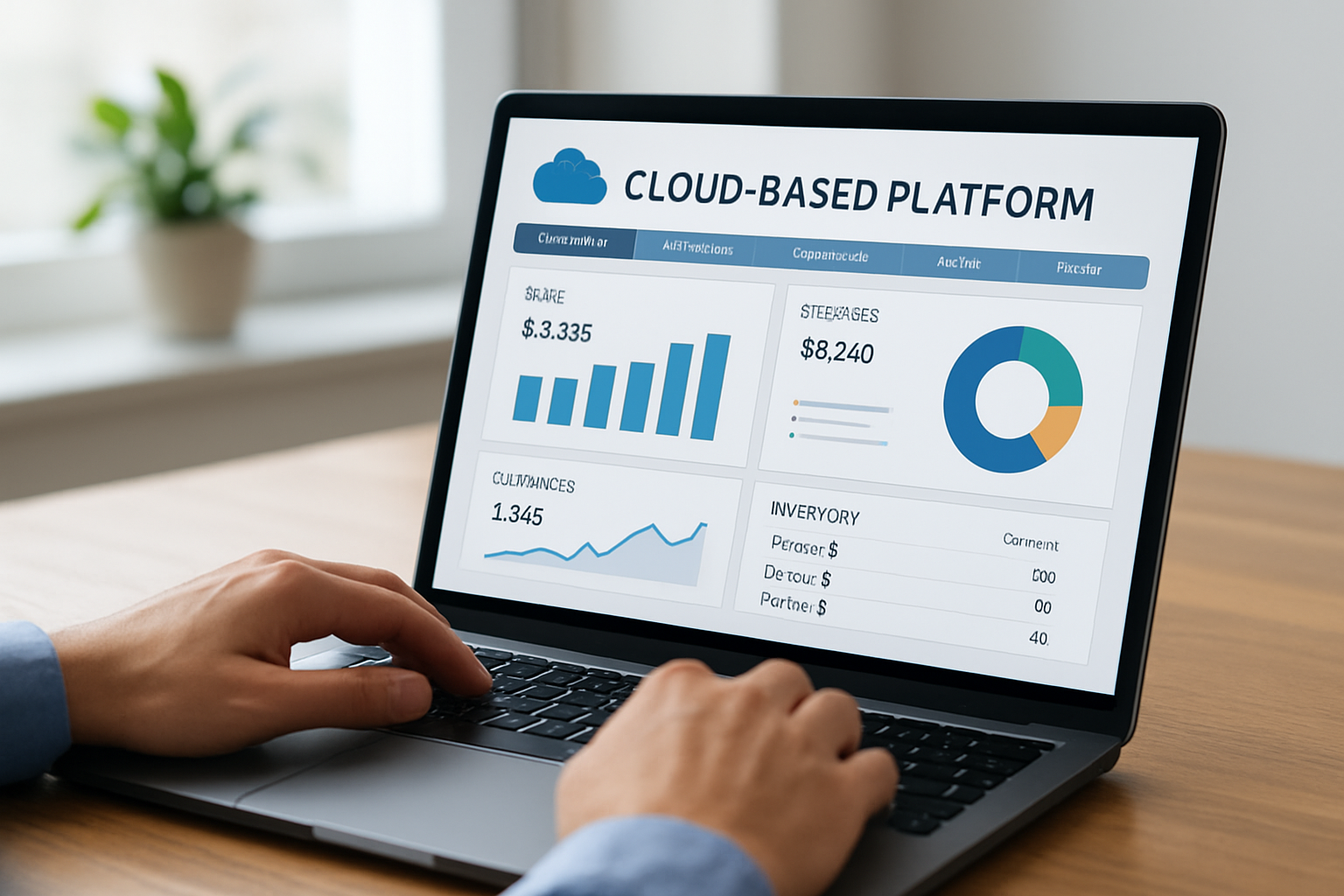
One less obvious benefit is analytics. When our CRM, sales, and financial data live together, dashboards reveal trends we might otherwise miss. We can spot which lead sources convert, which clients generate recurring revenue, and where bottlenecks appear in projects. That clarity helps us prioritize marketing spend and staffing.
Imagine we track ticket resolution time, average invoice value and repeat purchase rate in the same dashboard. Those metrics guide small changes that compound into measurable improvements in customer satisfaction and margin.
Choosing a Platform and Migration Tips
Picking the right cloud-based platform is a strategic choice. We balance feature fit, security, integrations and total cost. Below, we share a practical approach that blends technical evaluation with business priorities.
What to evaluate before committing
- Core features: Does the platform cover CRM, invoicing, project management or do we need add-ons?
- Integration ecosystem: Can it connect to our bank, payment processor and accounting software?
- Security and compliance: Does the provider publish security documentation and certifications?
- Scalability: Can the plan grow as we add users and transactions?
We also inspect service level agreements, data portability policies and vendor lock-in risks. Reading provider documentation and trialing the platform with a small team prevents surprises.
How a cloud-based platform supports CRM and invoicing during migration
Migrating customer records and billing history requires care. We usually follow these steps:
- Audit existing data and remove duplicates.
- Export CSVs from current systems and map fields to the new platform.
- Import a pilot dataset and validate records with real-use scenarios.
- Run both systems in parallel for a short period to ensure continuity.
Testing a pilot prevents lost invoices and broken client communication. For companies with complex integrations, staging environments mimic production and reduce risk.
Security checklist for migration
- Enable multi-factor authentication for all accounts.
- Use role-based access and least-privilege principles.
- Verify encryption policies for data at rest and in transit.
- Confirm backup frequency and retention settings.
When in doubt, consult provider documentation and compliance pages to confirm controls. The AWS primer on cloud computing provides accessible explanations of services and shared responsibility.
Cost, ROI and Practical Examples
Questions about cost often dominate platform decisions. We prefer to frame the discussion as return on investment: how will the platform remove friction, reduce manual labor and help us win repeat customers?
Cost drivers to watch
- Subscription tiers and per-user pricing.
- Transaction fees for payments and API calls.
- Costs for add-on modules and premium integrations.
- Implementation and training hours, which are real but sometimes underestimated.
We find that comparing total cost of ownership across a three-year horizon makes the trade-offs clear. Avoid focusing solely on the lowest monthly rate; consider productivity gains and reduced error rates.
Practical ROI examples
Scenario-based examples help us see outcomes more clearly:
- Maria, a startup founder, saves time by automating lead-to-proposal workflows. Less manual follow-up means faster sales cycles and higher conversion rates.
- Sarah, a small business owner, reduces late payments through automated invoicing and online payment options. Cash flow becomes predictable.
- David, a consultant, consolidates client projects and billing in one platform, cutting administrative hours and increasing billable time.
We recommend we run a small pilot: track how many hours different tasks take before and after migration. Even modest hourly savings multiplied across months add up fast.
Hypothetical pilot to measure gains
To make ROI tangible, we often run a labeled pilot. Imagine a five-person consultancy that currently spends 20 hours per week on admin (timesheets, invoicing, and follow-ups). If a cloud platform reduces admin by 25%—a hypothetical but realistic outcome—the saved hours translate into more billable time or lower overhead. We always label these scenarios as illustrative and track actual hours during the pilot to validate assumptions.
Where to find guidance and best practices
The maintains resources about choosing and using technology for small businesses. We consult their guidance when planning investments and assessing vendor claims.
Implementation Checklist and FAQs
We like checklists because they make the abstract concrete. Below is a pragmatic implementation checklist and a set of frequently asked questions to guide adoption.
Implementation checklist
- Define objectives: list the problems we want the platform to solve (e.g., unified CRM, automated billing).
- Assemble a migration team: assign a project lead and user champions.
- Inventory data sources: CRM, spreadsheets, accounting software and files.
- Choose integrations: payments, email, accounting and calendar sync.
- Run a pilot: import a limited dataset and test end-to-end workflows.
- Train users: short sessions and recorded tutorials reduce onboarding time.
- Monitor KPIs: response time to clients, invoice days outstanding, project completion rates.
- Change management: set clear communication plans, celebrate early wins and collect feedback frequently.
FAQs
We close with a short FAQ set addressing common concerns. Below are concise answers that help teams decide and act.
Is my data safe in a cloud-based platform?Short answer: yes, when providers follow standard security practices and we configure controls correctly. Reputable cloud vendors encrypt data at rest and in transit, publish security certifications, and provide access controls. We must apply strong passwords, enable multi-factor authentication, and monitor user permissions. For official definitions of controls and responsibilities, NIST documentation is a reliable resource. NIST SP 800-145.
How long does migration typically take?Migration time varies: small teams with simple datasets can move within days; more complex businesses may need several weeks for testing and training. We recommend a pilot first, then incremental migration to keep operations running during the transition.
Will a cloud-based platform replace our accountant or bookkeeper?No. A cloud platform automates routine tasks and provides clearer records, but accounting judgment, tax planning and compliance work still need professional expertise. We should use cloud tools to streamline bookkeeping and then collaborate with an accountant who can act on timely, accurate data.
Can we switch platforms later if needed?Yes, but we must plan for data portability. Confirm export capabilities and APIs before commitment. Choosing vendors that support standard formats reduces friction if we decide to change tools later.
To make this concrete, we recommend a focused three-week micro-pilot limited to one client segment. In week one we capture baseline metrics, response time, invoice cycle and admin hours. In week two we run the platform workflows and train the small team. In week three we compare results and decide whether to expand. This keeps risk small and clarity high.
Another practical tactic is to track a single leading KPI such as invoice-to-payment time. For example, if the baseline median is 21 days and the pilot reduces it to 14 days, that difference converts directly into cash flow and fewer collection calls. Small numeric wins like this fund broader adoption and create momentum across the company.
When we focus on the task-to-cash flow, even tiny process fixes, like auto-creating invoices when projects close, speed revenue realization. Over time these micro-improvements add up and sharpen operational clarity across teams.
We encourage experimentation: start small, measure results, and expand features that drive the most value. Tools such as My Business Suite illustrate how a unified business hub can act as a growth catalyst—bringing clarity to operations and speeding the task-to-cash flow process for small businesses.
If we adopt this approach thoughtfully, the cloud-based platform becomes less a purchase and more a strategic resource: a place where client relationships, operations and finances come together so we can focus on delivering value.