Zoho One vs Odoo: Which to Choose for SMBs 2026
We compare Zoho One and Odoo in 2026—features, costs, and implementation—so we can choose the best unified platform for small businesses.
Neste article
- Overview: Why this comparison matters
- Core differences: Zoho One vs Odoo
- Features, pricing and modules
- Implementation, integrations and support: Zoho One vs Odoo
- Decision framework for SMBs
- FAQ
Zoho One vs Odoo appears in the first paragraph because we want to address the central question straightaway: we compare both platforms so we can decide which unified business hub best fits an SMB’s needs in 2026. We bring practical criteria, short case-style examples, and clear next steps so our recommendation stays actionable.
Overview: Why this comparison matters
We know that small and medium-sized businesses must compress complexity without sacrificing control. Selecting between two broad suites often shapes operations for years. In that light, we look at the user journey from task to cash flow, how each platform centralizes customer data, and how each influences team efficiency.

We will refer to vendor documentation and trusted sources when making factual claims. For general context on SMBs in the United States and their role in the economy, we reference the U.S. Small Business Administration for up-to-date guidance and resources: U.S. Small Business Administration.
- Purpose of this comparison: practical selection, not vendor praise.
- Scope: features, pricing models, integrations, implementation, and a decision framework.
- Audience: founders, owners, freelancers, and operators who want operational clarity.
To sharpen why this choice matters, consider that small businesses represent the vast majority of firms in the U.S. and are the engines of local employment; the systems we pick will determine how efficiently those businesses convert time into revenue. For a snapshot of the SMB landscape and its economic footprint, we point to the SBA Office of Advocacy overview: SBA small business profiles.
In practice, what we gain with a unified stack is fewer context switches for teams and a shorter path from a sales lead to getting paid. The trade-offs are real: speed and governance versus customization and vertical fit. When we weigh those trade-offs deliberately, the platform becomes less about brand and more about predictable operational outcomes.
Core differences: Zoho One vs Odoo
We start with the big-picture difference so the details later make sense. At its core, the two suites approach the unified business hub concept from different angles.

We characterize them like this:
- Zoho One emphasizes a curated, integrated set of cloud apps sold as a single suite with a focus on out-of-the-box workflows and centralized admin controls. For official information on Zoho One capabilities, we consult the vendor site: Zoho One product page.
- Odoo offers a modular platform with a marketplace of apps,companies choose modules and customize the system. For how Odoo structures editions and apps, we use the official source: Odoo official site.
On governance, we note that administrative control models differ. We observe that some teams prefer a single-pane-of-glass admin console, while others prioritize granular module-level control. The trade-off is between fast deployment and deep customization.
What this means in practice
We use a short, concrete example to make the trade-off tangible.
Imagine a boutique design studio that needs CRM, invoicing, project management, and a simple HR module. With Zoho One, the studio gets a suite where apps are already integrated and branding can be centralized quickly. With Odoo, the studio can pick specific modules and adapt screens and workflows, but that requires more configuration and possibly developer time.
- Speed to value: Zoho One tends to be faster to roll out for standard SMB needs.
- Customization depth: Odoo can be tailored more deeply if we allocate implementation resources.
- Operational clarity: both can deliver dashboards, but the path to a single operational view is shorter with pre-integrated apps.
For another lens, think of governance and upgrades. We have seen teams struggle when custom modules diverge from vendor upgrade paths; when upgrades matter to security and compliance, the convenience of a managed suite can reduce operational risk. Where deep verticalization is required, manufacturing with serial-tracked inventory, or a services firm with bespoke billing rules, modular platforms often win because they allow the business to own specialized logic.
To avoid surprises, we suggest we map upgrade cadence and version support during vendor evaluation. Ask how each platform handles upgrades for customizations and whether they sandbox updates for testing. Those answers will tell us whether we are buying a long-term maintenance burden or a managed product experience.
Features, pricing and modules
We split this section into three short subsections so we can scan the essentials: core features, pricing approaches, and practical module selection.
Core features checklist
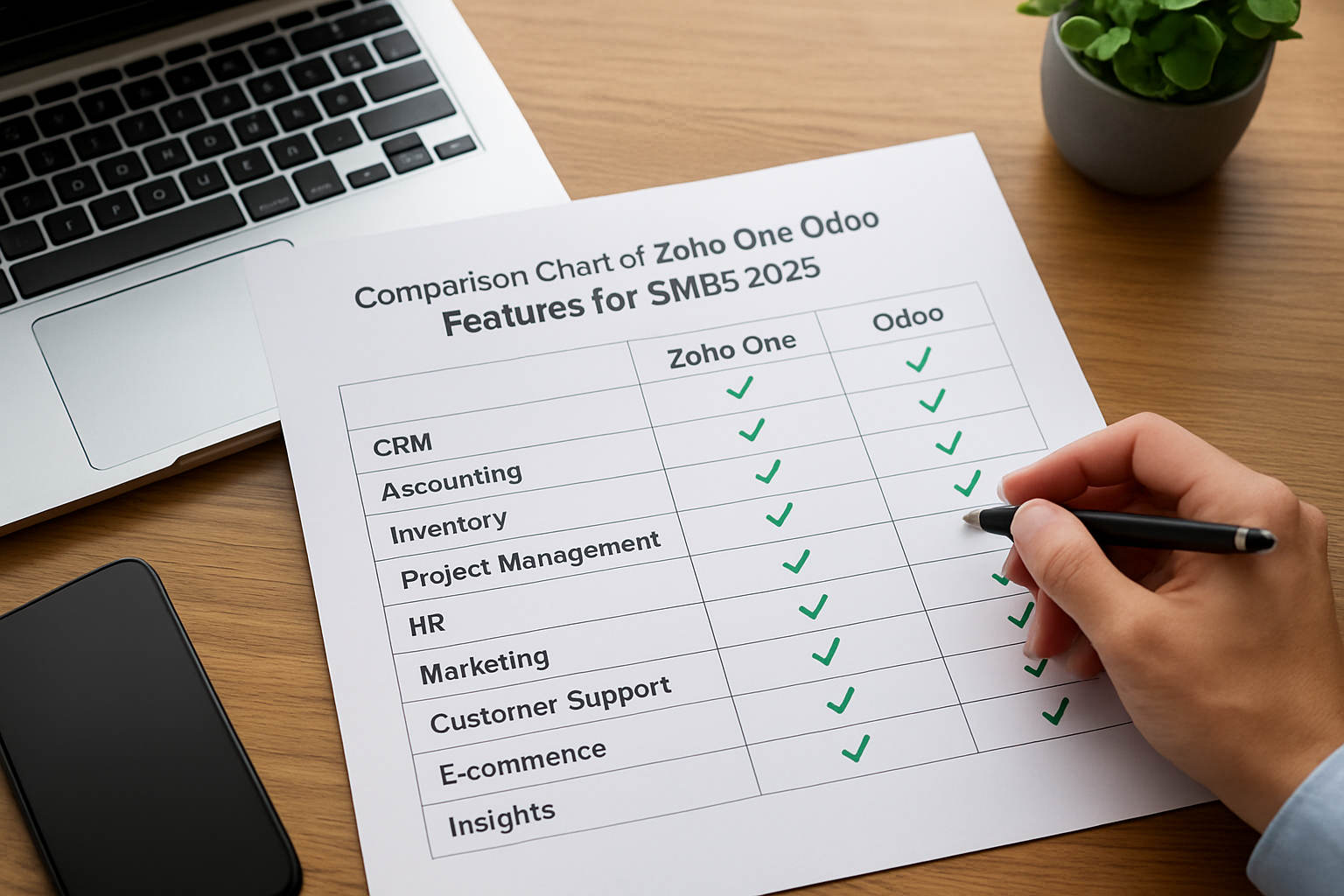
We map common SMB needs to how each platform typically addresses them.
- CRM and sales automation: both platforms provide CRM, lead scoring, and sales pipelines; we verify details on vendor pages.
- Finance and invoicing: both offer invoicing, payment tracking, and basic accounting features; deeper accounting controls may require add-ons or third-party integrations.
- Project and task management: both handle projects, but the UX and prioritization differ.
- HR and payroll: included in varying degrees; payroll often relies on regional partners or integrations.
- Reporting and dashboards: both deliver KPI dashboards, though out-of-the-box reports differ in granularity.
We also recommend that we consider two practical nuances often overlooked: multi-entity accounting and automated tax mapping. If we run multiple legal entities or sell across states, we should validate how the platform segregates ledgers and applies jurisdictional tax rules. When the vendor cannot cover state-level tax nuances, the integration effort rises significantly.
Pricing models (how cost behaves)
We avoid inventing price numbers. Instead, we point readers to primary pricing resources so cost modeling stays accurate for 2026 decisions.
- Zoho One is typically licensed as a suite with per-user pricing for full access to bundled apps. For current plans and billing models, consult Zoho One pricing.
- Odoo commonly provides a modular pricing model: pay per app per user or choose hosted Enterprise plans; module selection affects total cost. For details, consult Odoo pricing.
We recommend that we model the total cost of ownership over at least three years and include implementation, ongoing admin, training, and potential developer costs.
Practical module selection
We offer a checklist to map business needs to modules before engaging vendors.
- List must-have functions (e.g., invoicing, CRM, inventory).
- Estimate user roles and counts for licensing.
- Identify required integrations (bank feeds, payment processors, e-commerce).
- Prioritize features that directly affect revenue or customer retention.
We also propose a quick sanity check: for each selected module, ask whether the feature is critical at launch or can be deferred to reduce initial cost. Deferring low-impact modules can dramatically shorten time-to-value and reduce pilot complexity.
Implementation, integrations and support: Zoho One vs Odoo
Implementation is where we often win or lose time. We treat implementation as a project with milestones, not just a purchase.
We rely on vendor documentation and implementation resources for realistic timelines. When uncertainty exists about complex customizations, we model scenarios rather than invent timelines.
- Out-of-the-box implementations favor speed and lower consulting costs.
- Customized implementations may require developers, APIs, or third-party partners.
- Ongoing support models vary: in-house admins, vendor support, or certified partners can handle escalation.
Implementation is also a change-management exercise. We advise dedicating time for role-based training, a single power-user to champion adoption, and a feedback loop during the first 30-90 days. Training reduces feature leakage, teams that never adopt a module still pay for its license, and creates measurable efficiency improvements.
Integrations and ecosystem
We advise mapping integrations first because most businesses run multiple systems. Integration complexity often drives total cost and time.
- Banking and payments: confirm bank-feed support and payment gateway compatibility early.
- Email and communication: check native connectors for business email, marketing automation, and team chat.
- E-commerce and POS: list connectors for marketplaces, carts, and terminals.
For broader research on digital tools and SMB transformation trends, we reference analysis by reputable consultancies and business research outlets to inform our integration strategies: McKinsey insights.
Integration choice also affects data quality. We suggest we map a single source of truth for customer records and automate synchronization rather than building many one-way feeds. A clean master dataset reduces reconciliation work and accelerates reporting.
Support and partner networks
We evaluate support options via three dimensions: vendor support, certified partners, and community resources.
- Vendor support: service-level expectations and response times.
- Certified partners: value of local or specialized partners for custom needs.
- Community and documentation: availability of self-help resources and best-practice guides.
When we anticipate customization, we value partners who can provide a fixed-price pilot. That approach converts uncertainty into a defined scope and measurable deliverables. Ask potential partners for references and a short case study of a similar project so we can validate their delivery rhythm.
Decision framework for SMBs
We propose a straightforward decision framework so we can match business priorities to platform strengths. The framework is a short checklist followed by recommended next steps.
Decision checklist
- Speed vs customization: if we need rapid deployment and consistent workflows, favor a pre-integrated suite.
- Budget visibility: if we prefer predictable licensing with fewer hidden customization costs, prioritize suites with all-in-one licensing.
- Long-term flexibility: if we plan large custom flows or vertical-specific modules, favor a modular architecture.
- Internal capacity: if we have in-house developers or plan to hire partners, modular platforms reward that investment.
How we would choose for common personas
We apply the checklist to the personas that guide our product thinking: Maria the startup founder, Sarah the small business owner, and David the freelancer.
- For Maria (startup founder): we recommend a platform that scales without heavy rework. If branding consistency and fast team onboarding are priorities, the pre-integrated path often wins.
- For Sarah (small business owner): we prioritize simplicity and predictable costs. She benefits from a suite that reduces app juggling and automates client follow-ups.
- For David (freelancer & consultant): we value minimal admin overhead and professional invoicing. He will appreciate a platform that centralizes client history and automates payment reminders with little setup.
Concrete next steps we recommend
- Define the must-have feature list with owners and one power-user.
- Run a two-week proof of concept with sample data and one revenue process (lead to invoice).
- Model three-year total cost of ownership with scenarios for light customization and heavy customization.
- Engage an implementation partner for a fixed-scope pilot if customization is needed.
For SMB-specific guidance and resources on planning digital projects, we point to official small business resources: SBA market research and planning.
To help measure success, we propose a short list of KPIs we can track during and after implementation:
- Lead-to-invoice cycle time.
- Days sales outstanding (DSO).
- Revenue per employee.
- Number of manual reconciliations per month.
Establishing baseline metrics before the pilot lets us quantify the ROI of a chosen platform. We then measure improvement at the 30-, 90- and 180-day marks so we can validate assumptions and iterate.
One practical way to validate assumptions is a compact pilot with transparent acceptance criteria. We propose a pilot checklist that keeps focus tight and outcomes measurable:
- Define the revenue flow we will test from lead capture to invoice settlement.
- Prepare a small dataset representing typical customers and transactions.
- Assign a power-user to log issues and track time spent on common tasks.
- Set quantitative success thresholds for key KPIs (for example, reduction in manual reconciliations or faster invoice turnaround), and a go/no-go decision point at two weeks.
As a hypothetical example, imagine a local services SMB that uses a pilot to validate automated payment reminders and bank reconciliation. If the pilot reduces reconciliation time and shortens DSO, we have evidence to scale. Conversely, if custom fields or integrations create repeated manual work, the pilot flags a costly maintenance path early. We have used this approach with teams evaluating a unified hub like My Business Suite and found that short, focused pilots expose the real operational trade-offs quickly, no guesswork, just measured outcomes.
FAQ
We gather the most frequent questions we hear and offer concise answers to shorten the evaluation cycle.
How do we compare total cost between a suite and a modular platform?We model total cost over a multi-year horizon. Include licensing, implementation, training, integrations, and maintenance. We recommend building three scenarios: basic (no customization), moderate (some workflows adapted), and advanced (several custom modules). Estimating hours for admin and developer time is crucial for an apples-to-apples comparison.
Which platform requires less technical staff to keep running?We find that pre-integrated suites generally require fewer technical resources for routine updates. Modular platforms may demand more technical attention for custom modules and integrations. That said, well-documented modular implementations can be low-maintenance if designed with upgrade paths in mind.
Can we migrate between these platforms later?We acknowledge that migrations are possible but painful. Data export tools help, yet mappings between custom fields, workflows, and integrations create friction. We therefore emphasize piloting the revenue-critical flow before committing to a long-term contract.
How do we evaluate security and compliance?We assess vendor security posture, data residency options, encryption standards, and role-based access controls. When specific compliance regimes apply, we check vendor attestations and partner ecosystems for certified payroll or tax connectors.
We also include a short checklist for vendor conversations so we stay focused during demos:
- Ask for a demo of our exact revenue workflow.
- Request a clear breakdown of implementation tasks and deliverables.
- Confirm SLAs, update cadence, and data export policies.
Finally, we note that a name like My Business Suite may fit organizations seeking a tailored, unified approach; we mention My Business Suite to underline that an all-in-one perspective is often the guiding principle when we evaluate unified platforms.
We hope this comparison helps us move from confusion to clarity. If we follow the checklist, run a short pilot, and involve a power user from day one, we should identify which platform aligns with operational priorities in 2026.
References and further reading:
- Zoho One product page , features and suite overview.
- Zoho One pricing , current licensing models.
- Odoo official site (modules and platform documentation).
- U.S. Small Business Administration (resources for SMB planning and digital initiatives).
- McKinsey insights (strategic perspectives on digital transformation).
- Sebrae — support for small businesses in Brazil
- IBGE — data and statistics on Brazilian businesses
- Exame — business news and analysis
- Valor Econômico — coverage of business and markets