Best Business Software 2026 Small: Comparison
See how small businesses can simplify clients, tasks, and invoicing with one unified platform that supports real growth.

Neste artigo
- Why Small Teams Need One Hub
- Best Business Software 2026 Small: Comparison
- How to Choose Without Regret
- What Results Look Like
- Implementation That Sticks
- FAQ
If we are looking for the best business software 2026 small, the real question is not which tool has the longest feature list. It is which platform helps us keep customers, finances, tasks, and communication moving in one rhythm without turning the day into a spreadsheet circus. For small teams, that difference is huge, because every extra login, export, and manual follow-up steals time from growth. And time, for a founder, freelancer, or small business owner, is the one resource we never get back.
That is exactly where an all-in-one platform starts to shine. A Unified Business Hub gives us more than convenience, because it creates operational clarity from the first lead to the final payment. My Business Suite was built around that idea, and the appeal is easy to understand: fewer gaps, cleaner handoffs, and less friction between the moment we promise something and the moment cash lands in the account.
Small businesses do not need more software noise. They need one clear operating system.
Why Small Teams Need One Hub
Small businesses usually do not suffer from a lack of ambition. They suffer from tool sprawl. One app handles messages, another tracks invoices, another stores client notes, and a fourth tries to rescue project chaos after it has already spread. The result feels a bit like running a food truck, a cash register, and a dispatch center from different rooms.

O Serviço Brasileiro de Apoio às Micro e Pequenas Empresas destaca que micro e pequenas empresas têm papel central na economia brasileira, o que ajuda a lembrar como equipes enxutas precisam lidar com orçamento apertado e muita responsabilidade. Fonte: gov.br - Portal do Empreendedor.
One platform, fewer blind spots
When we keep customer data, task status, and billing inside one system, we reduce the chance of a lead falling through the cracks. That matters for Maria, who needs room to scale without buying enterprise software she cannot justify yet. It matters for Sarah too, because juggling CRM notes, invoices, and internal chatter in separate tools often leads to missed follow-ups and awkward client moments.
- Customer visibility stays in one place, which makes follow-ups faster.
- Project progress is easier to read when tasks and deadlines live beside client records.
- Financial tracking becomes less fragile when invoices and payment status are connected.
- Team communication stops relying on scattered messages that nobody can later find.
Why fragmentation drains profit
Fragmented software creates hidden costs. We pay for subscriptions, sure, but we also pay in context switching, duplicate work, and missed opportunities. A consultant might spend 20 minutes searching for a client note, then another 10 minutes rebuilding an invoice. That is not just annoying. It is billable time quietly leaking away.
Dados do IBGE sobre empresas e empreendedorismo ajudam a contextualizar como a produtividade e a organização interna pesam para negócios menores. Para esse panorama, podemos consultar o portal de notícias da Globo. The point is not to chase a perfect number. The point is to design a workflow that wastes less of the hours we actually have.
Best Business Software 2026 Small: Comparison
When we compare the best business software 2026 small, we should compare outcomes, not buzzwords. A beautiful dashboard means little if it cannot connect the customer journey from first contact to paid invoice. So let us look at the types of capabilities small teams actually use every week.
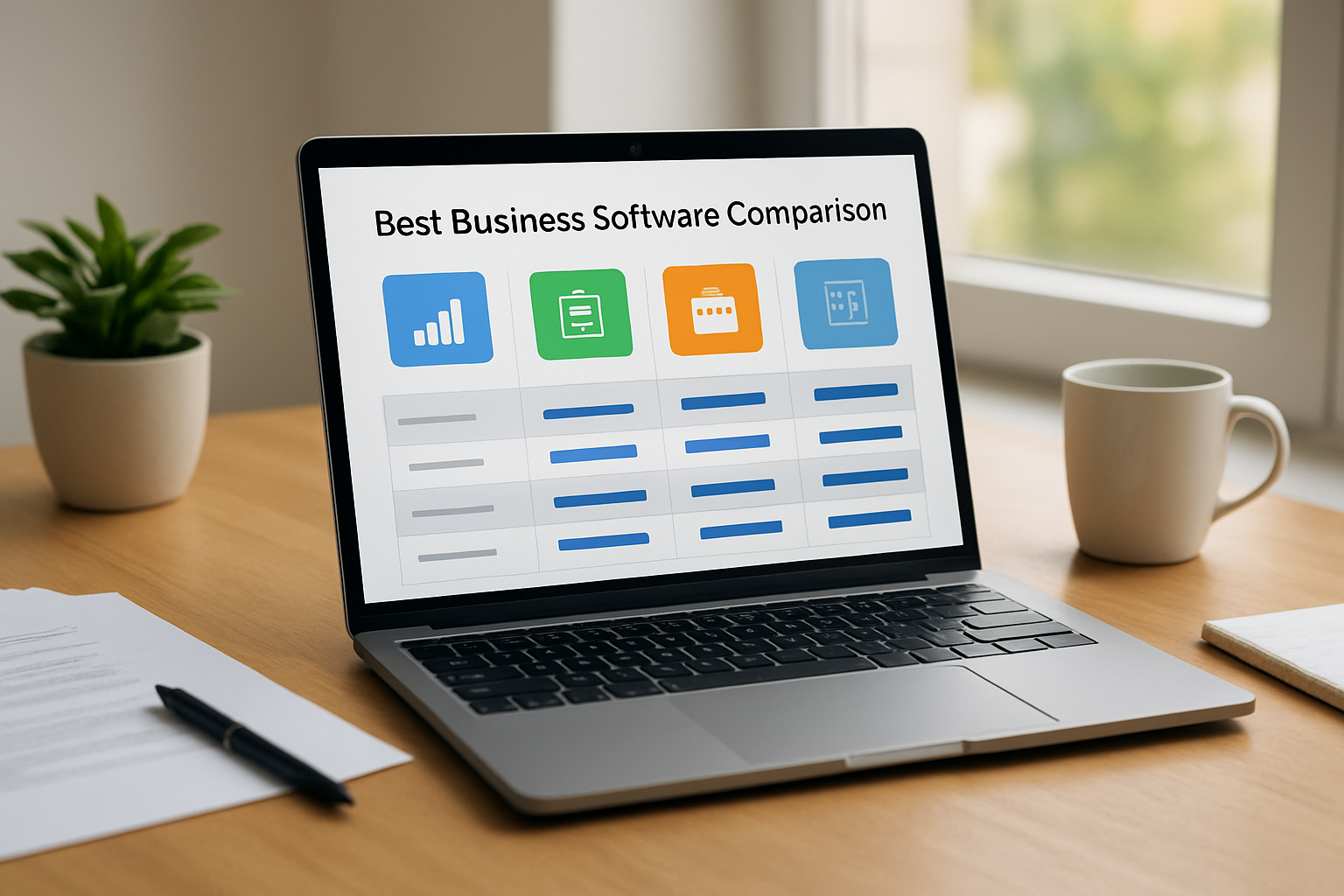
We also need to be honest about fit. A freelancer with five active clients does not need a system designed for a thousand-seat corporation. A startup founder does not need a Frankenstein stack of disconnected apps just to see what the team is doing today. The best choice feels like a Growth Catalyst, not another administrative job.
best business software 2026 small: Core capabilities to compare
Before we choose, we should ask a simple question: does the software help us move from task to cash flow without drama? If the answer is yes, we are already closer to the right fit. That usually means the platform can do the following:
- CRM and client management with searchable histories and follow-up reminders.
- Task and project management with ownership, due dates, and clear status views.
- Invoicing and payment tracking so billing is not an afterthought.
- Internal communication tools that keep the team aligned without endless email chains.
- Reporting and dashboards that turn activity into useful signals.
best business software 2026 small: How My Business Suite fits the comparison
My Business Suite stands out because it combines the most common small-business workflows without asking us to stitch everything together ourselves. That matters for client-centric teams. When the contact record, project update, invoice, and message trail live in the same place, we get speed without losing context.
For David, that means cleaner client-specific views and less administrative overhead. For Sarah, it means fewer missed follow-ups. For Maria, it means a system that can grow with the business instead of forcing a painful migration later. The result is not just organization. It is confidence.
Operational clarity is what turns busy work into business momentum.
O ambiente de negócios brasileiro também pode ser observado por bases públicas de estatísticas e registros empresariais, úteis para entender a dimensão do mercado de pequenas empresas. A referência da vez pode ser encontrada na Estadão. It helps us see why flexible tools matter so much for owners who cannot afford complicated rollouts.
What the comparison really comes down to
We do not choose software only for features. We choose it for behavior. Does it reduce friction? Does it keep the team honest about deadlines? Does it make invoicing feel like the last step of a clean process instead of a separate chore? If a platform does those things, it earns its place.
- We map the daily workflow from lead to payment.
- We identify where tasks get delayed or duplicated.
- We test whether the software removes those pain points.
- We check whether the team can actually keep using it after the first week.
How to Choose Without Regret
Choosing the best business software 2026 small is less about chasing perfection and more about protecting momentum. A small business cannot afford months of confusion after a purchase. We need something that feels natural, learns quickly, and supports the way we already work, while gently improving it.
Start with the bottleneck
Every business has one. Maybe it is follow-up chaos. Maybe it is invoicing. Maybe it is poor visibility into what the team is doing. We should start there. If we fix the biggest bottleneck first, the rest of the system usually starts breathing easier too.
For example, if a consulting business loses two client follow-ups per month and each missed follow-up represents even one lost project, the software does not need to be magical to pay for itself. It just needs to close that gap. That is the kind of practical math small businesses respect.
Make sure the learning curve is realistic
Some platforms look powerful but behave like a control panel for a jet engine. That is not always useful. We want software our team can adopt without a three-week training marathon. If onboarding feels simple and the interface is clear, adoption tends to stick.
- Look for intuitive navigation.
- Check whether client and task views are easy to switch between.
- Review how quickly invoices and reports can be created.
- Test whether team members can find what they need without asking for help every time.
Prefer systems that support cash flow, not just activity
Busy does not always mean profitable. A platform that helps us track work but forgets billing only solves part of the problem. The stronger choice links tasks to invoices, reminders, and payment history so we can see how effort becomes revenue. That task-to-cash flow bridge is where real operational maturity starts to show.
Para orientações sobre impostos e obrigações de pequenos negócios, a Receita Federal segue como referência confiável. O centro de recursos para pequenas empresas está aqui: Receita Federal. We are not looking for software to replace accountants or legal advice. We are looking for software that keeps records tidy enough to support good decisions.
One more angle matters here: compliance and documentation. When records live in one system, we spend less time reconstructing history during tax season, contractor reviews, or client disputes. That quiet reliability is part of what makes a platform feel solid instead of flashy.
What Results Look Like
When small businesses move to a more unified platform, the changes often feel surprisingly human. Fewer “Did we already send that?” moments. Fewer late-night invoice scrambles. Fewer awkward client emails that start with “Just checking on this.” That kind of relief is hard to price, but very easy to feel.
Client communication gets sharper
Consistency matters. A client who hears different answers from different team members quickly loses trust. With centralized records, we can keep branding, tone, and follow-up timing aligned. That is especially useful for founders who want their small team to sound like one confident company, not five separate personalities.
We also avoid the classic “I thought you were handling that” problem. In a unified system, the last message, the next action, and the owner of the task are all visible. That is the kind of small operational detail that can make a brand feel unexpectedly polished.
best business software 2026 small: What Results Look Like
Projects stop living in people’s heads
Many small teams depend too heavily on memory. That works until it does not. Once projects, notes, and deadlines live in the software, we reduce the risk of a critical detail disappearing when someone gets busy or goes offline for the afternoon. The platform becomes the shared source of truth.
This is where a client-specific view helps a lot. Instead of hunting through folders, tabs, and old threads, we can open one record and see the full story. For a freelancer balancing multiple accounts, that is the difference between feeling in control and feeling hunted by the calendar.
Finance becomes less mysterious
Cash flow visibility is one of the quiet superpowers of a good business system. When invoices, payment reminders, and status updates sit inside the same environment, we can see what is overdue, what has been paid, and what is still in motion. That makes planning less reactive and a lot more grounded.
Para ampliar a leitura sobre o cenário financeiro de pequenos negócios, a CNN Brasil publica análises e reportagens sobre renda, crédito e atividade empreendedora. Veja em CNN. We do not need to memorize every figure. We do need to respect the pattern: small teams thrive when money management is visible, not vague.
- Faster invoice follow-up means fewer overdue balances.
- Clear payment records make month-end less painful.
- Shared status updates reduce duplicate work.
- Better visibility helps us make hiring and spending decisions with less guesswork.
And if we are being practical, this is not only about comfort. It is about resilience. When sales slow down, a clear view of receivables, active work, and upcoming tasks helps us steer instead of drift.
Implementation That Sticks
Even the best platform fails if nobody uses it properly. That is why adoption matters as much as features. We should roll out new software in a way that respects how people actually work. Otherwise, the team will quietly retreat to old habits, and the shiny new system will become an expensive shelf ornament.
Roll it out in layers
We get better results when we introduce software gradually. Start with client records, then add projects, then invoicing, then communication workflows. That sequence helps the team build confidence without feeling overwhelmed.
- Import only the most important client data first.
- Set up one repeatable workflow.
- Train the team on the daily basics.
- Review adoption after the first two weeks.
Assign ownership early
Someone has to own the system, even in a small company. Not to police everyone, but to keep it tidy. That person checks whether fields are being used consistently, whether overdue tasks are being updated, and whether invoices are linked to completed work. Small maintenance habits keep the whole machine smooth.
And yes, this is where a platform like My Business Suite can be especially handy. When the structure is coherent, the team spends less time hunting for information and more time serving customers. That is not glamorous, but it is the kind of discipline that quietly compounds.
Measure a few simple signals
We do not need fifty dashboards. We need a handful of practical indicators that tell us whether the system is working. If those numbers improve, we keep going. If they do not, we adjust.
- Average time from lead to first response.
- Number of overdue tasks per week.
- Invoice turnaround time after project completion.
- Payment collection lag.
Those metrics are not vanity. They are clues. They tell us whether the business is becoming more coordinated or just more digital.
There is a simple, almost old-school truth here: tools should make the business feel lighter, not more fragile. If the team opens the dashboard and instantly knows what matters today, we are on the right track.
FAQ
What should we look for in the best business software 2026 small?We should look for a platform that combines client management, task tracking, invoicing, and communication in one place. If it reduces duplicate work and gives us clearer visibility, it is doing real work for the business.
Is an all-in-one platform better than separate tools?For many small teams, yes. Separate tools can work, but they often create hidden costs in time, attention, and data consistency. An all-in-one system usually makes it easier to keep the customer journey connected from first contact to payment.
How does My Business Suite help small businesses?My Business Suite brings together the functions small teams use most, including customer management, financial tracking, communication, and workflow organization. That helps us move from scattered tasks to a smoother task-to-cash flow.
Can a small business use this kind of software without a long setup?Yes, if the rollout is handled in stages. We recommend starting with the most urgent workflow, then expanding once the team feels comfortable. A clean setup beats a crowded one every time.
Why is financial tracking so important for small businesses?Because healthy cash flow keeps the business flexible. When we can see invoices, payments, and overdue balances clearly, we make better decisions and avoid unpleasant surprises.
If we want the best business software 2026 small, we should favor a system that gives us operational clarity, supports client-centric efficiency, and helps every task move closer to revenue without chaos. That is the real promise of a unified platform. Not more software. Better business.
And that is where the right fit matters so much. A small team does not need a flashy pile of features. It needs a steady engine, one that supports empowered entrepreneurship and turns daily effort into reliable progress. When that happens, work feels less scattered, clients feel better served, and the business gets room to grow with confidence.